Category: Comparisons

  • DeepSeek vs Qwen vs Kimi vs Z.ai vs MiniMax: Which Chinese AI Is Actually Best?

    DeepSeek vs Qwen vs Kimi vs Z.ai vs MiniMax: Which Chinese AI Is Actually Best?

    For many people outside China, “Chinese AI” still means one name: DeepSeek.

    That view is already outdated.

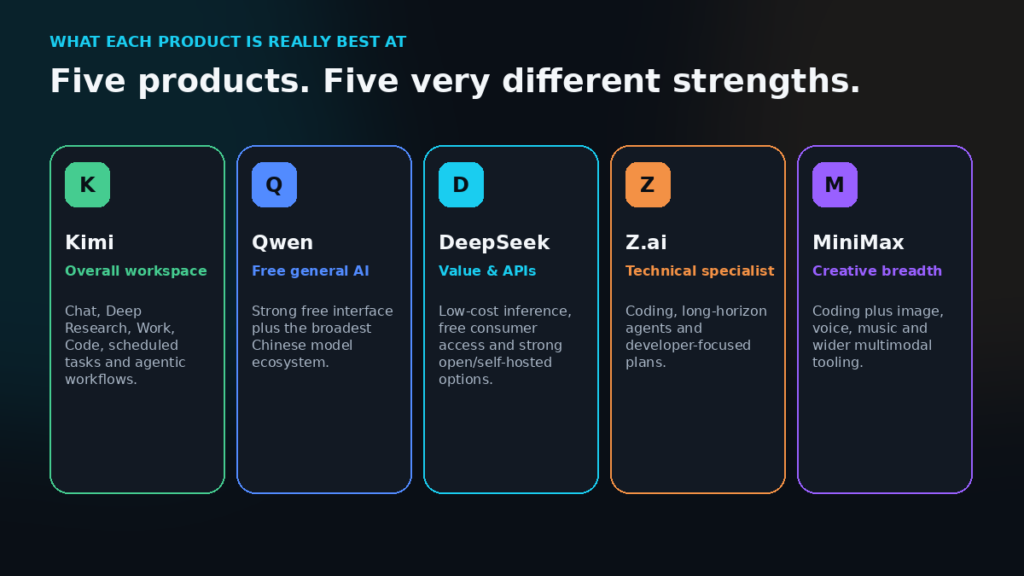
    Kimi now has one of China’s strongest frontier models and a surprisingly complete AI work environment. Alibaba’s Qwen combines a genuinely capable free assistant with one of the industry’s largest model ecosystems. Z.ai is pushing hard into coding and long-running agents. MiniMax is combining coding with image, speech, music and multimodal AI.

    DeepSeek still matters enormously — but not necessarily for the reason most people think.

    So instead of asking which Chinese chatbot gives the best answer to ten prompts, we compared the actual products: intelligence, coding, research, documents, agents, multimodal tools, pricing, open weights and how practical they are for someone outside China.

    The quick verdict

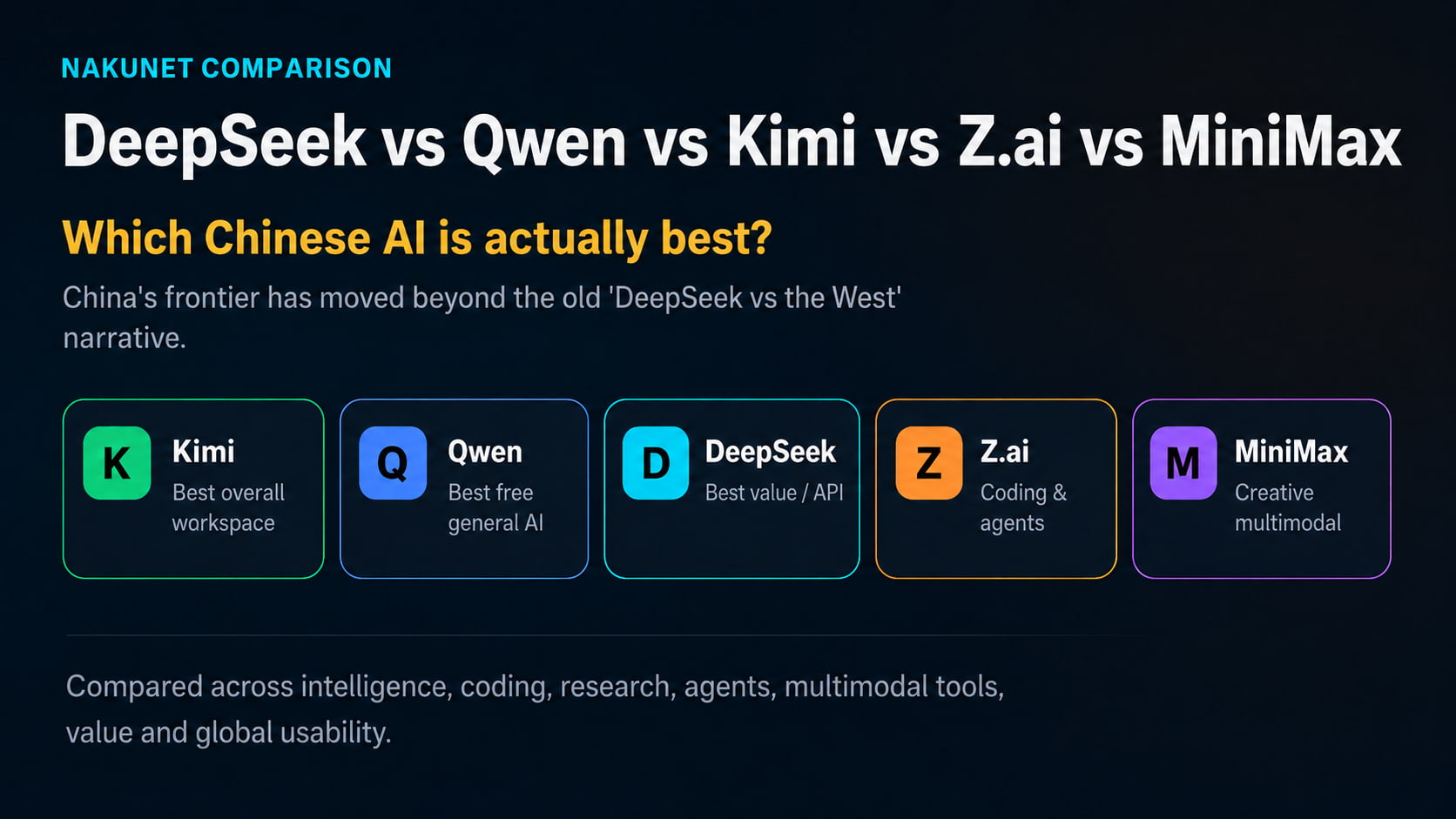
    If you want one Chinese AI for the widest range of serious work, our current pick is Kimi.

    If you want to spend nothing, start with Qwen Studio.

    If you are building with AI and care about low API costs, self-hosting and permissive licensing, DeepSeek remains exceptionally compelling.

    If coding and long-running technical agents dominate your work, Z.ai deserves serious attention.

    And if you want coding alongside image, voice, music and broader multimodal creation, MiniMax is arguably the most interesting bundle.

    PriorityOur pick
    Best overall AI workspaceKimi
    Best free general AIQwen
    Best API/value propositionDeepSeek
    Raw frontier intelligenceKimi K3 ≈ GLM-5.3
    Best measured Chinese coding-agent setupKimi Code + K3
    Technical/coding specialistZ.ai
    Creative & multimodal bundleMiniMax
    Broadest open-model ecosystemQwen
    Strong self-hosting propositionDeepSeek

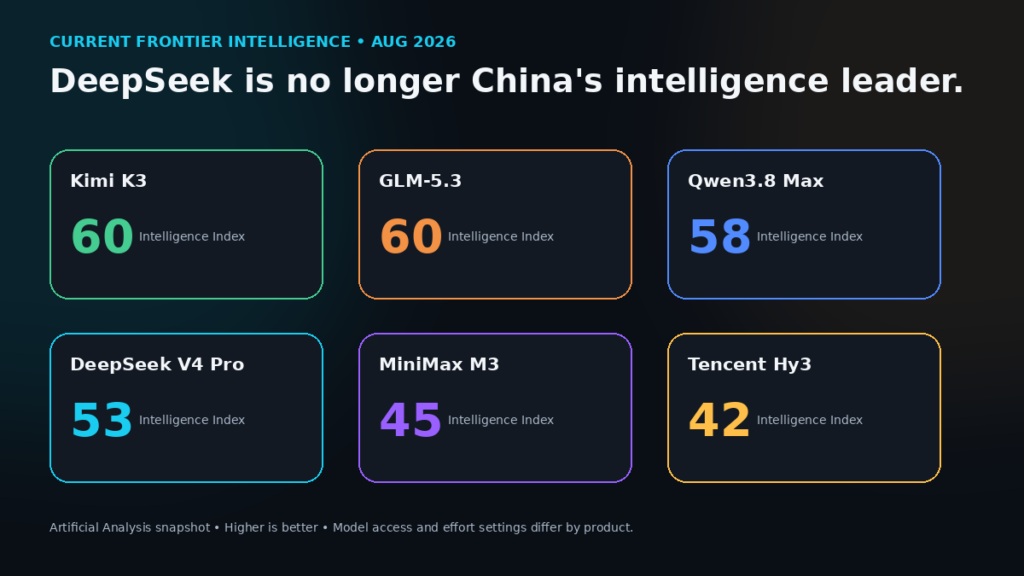
    DeepSeek is no longer China’s intelligence leader

    This is probably the most important correction to the old narrative.

    On Artificial Analysis’ current Intelligence Index, Kimi K3 at maximum effort scores 60, tied with GLM-5.3 max at 60. Qwen3.8 Max scores 58, while the latest DeepSeek V4 Pro scores 53. MiniMax M3 sits at 45, and Tencent Hy3 at 42.

    That does not mean Kimi will beat DeepSeek on every question. Composite benchmarks combine different kinds of reasoning, coding, knowledge and agentic tasks, and model settings matter.

    But it does mean that buying DeepSeek because you assume it remains China’s smartest AI is no longer supported by the evidence.
    Kimi is the surprise overall winner

    Kimi wins for a reason that has little to do with winning every benchmark:

    it has become unusually complete.

    The normal Kimi web and mobile product handles chat, search, Deep Research, websites, presentations, documents and spreadsheets. Kimi Work can work with local files and automate desktop workflows. Kimi Code operates in the terminal and IDE. Kimi Claw is designed for persistent cloud automation.

    That makes Kimi much closer to an AI operating environment than a conventional chatbot.

    Its entry Andante membership costs ¥49 per month and includes Agent usage, office-file processing, Deep Research, website deployment, scheduled tasks, plugins and project storage. Higher tiers add more parallelism, Agent Swarm, Goal Mode, Kimi Claw and larger allowances.

    There is a catch: Kimi’s paid features share a common credit pool. A demanding Deep Research task or agent workflow therefore reduces the capacity available elsewhere. Kimi Code also has a separate five-hour-per-week limit, and access to the newest K3 coding model can depend on membership level.

    So Kimi is not “unlimited ChatGPT for ¥49.”

    It wins because, among the Chinese products we examined, it currently creates the fewest situations where you need to leave the ecosystem to finish the job.

    Qwen is the one to try before paying anyone

    Qwen has perhaps the simplest value proposition in this entire comparison:

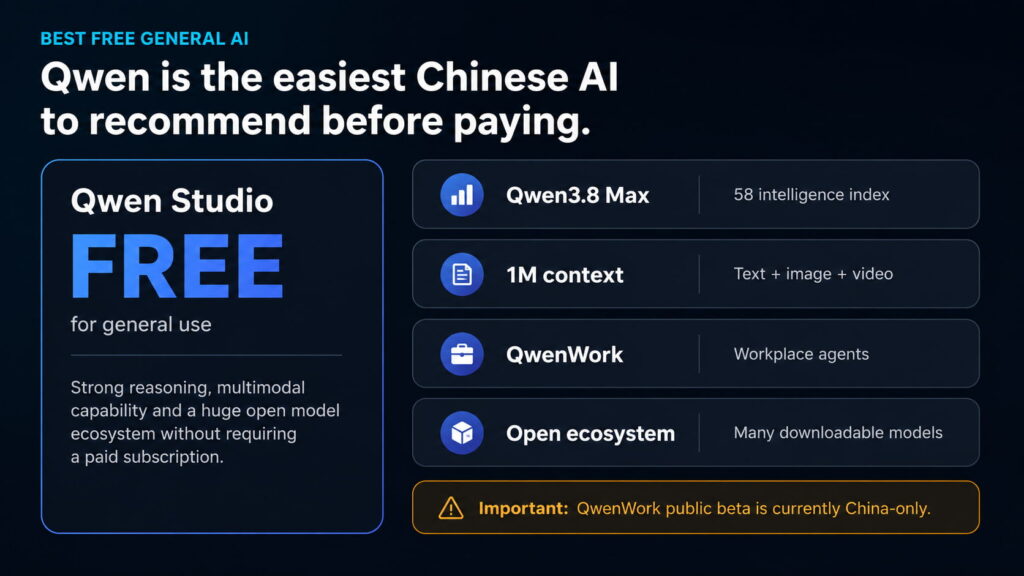
    Qwen Studio is free to use and open to all.

    And this is not a stripped-down demo.

    Qwen Studio includes reasoning, web search, multimodal understanding, Deep Research, image generation, video generation and web-development tools.

    Its current flagship, Qwen3.8 Max, scores 58 on Artificial Analysis and supports a context window of up to one million tokens along with image and video inputs.

    The wider ecosystem is equally important. Alibaba has now released Qwen3.8 model weights, including the enormous 2.4-trillion-parameter family and much more practical smaller variants such as Qwen3.8-27B. The hosted Max product adds capabilities such as built-in tools and default million-token context.

    Alibaba is also building QwenWork, a workplace agent platform aimed at autonomous professional work.

    The problem for a global reader is that QwenWork’s public beta currently remains China-only.

    Until that changes, Kimi has the stronger all-round international product. But if your first question is simply:

    “Which strong Chinese AI can I try without another subscription?”

    Qwen is the obvious starting point.
    DeepSeek’s killer feature is economics

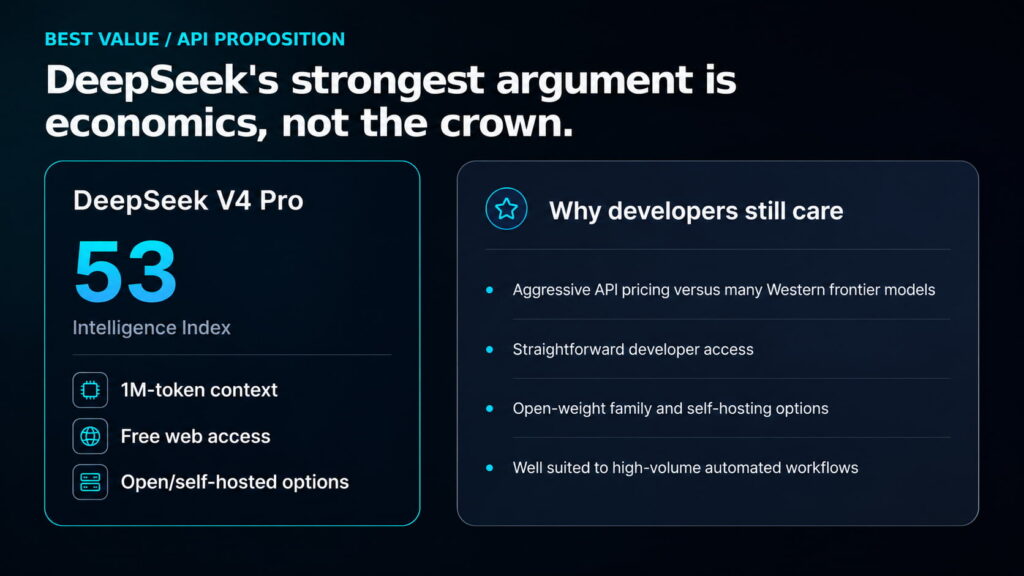
    DeepSeek has lost the uncontested benchmark crown, but it may still have the most disruptive economics.

    DeepSeek V4 Pro provides a one-million-token context window, is available through the web, app and API, and has downloadable open weights.

    Its official API platform currently lists V4 Pro at:

    • $0.435 per million cache-miss input tokens
    • $0.87 per million output tokens
    • just $0.003625 per million cache-hit input tokens

    Prices can change, but those figures are extraordinary for a model scoring 53 on the current intelligence benchmark.

    More importantly, DeepSeek V4 Pro is released under the MIT licence. That gives developers unusually broad freedom to use, modify, redistribute and commercially deploy the software and weights.

    This means DeepSeek can lose the consumer-product comparison and still be the better decision for a company processing millions of tokens.

    For developers, the relevant question may not be:

    “Is DeepSeek smarter than Kimi?”

    It may be:

    “How much will this workflow cost when it runs 50,000 times?”

    On that question, DeepSeek remains extremely difficult to ignore.
    Coding is where Kimi and Z.ai become especially interesting

    Chinese models are also much closer to the Western coding frontier than the old stereotype suggests.

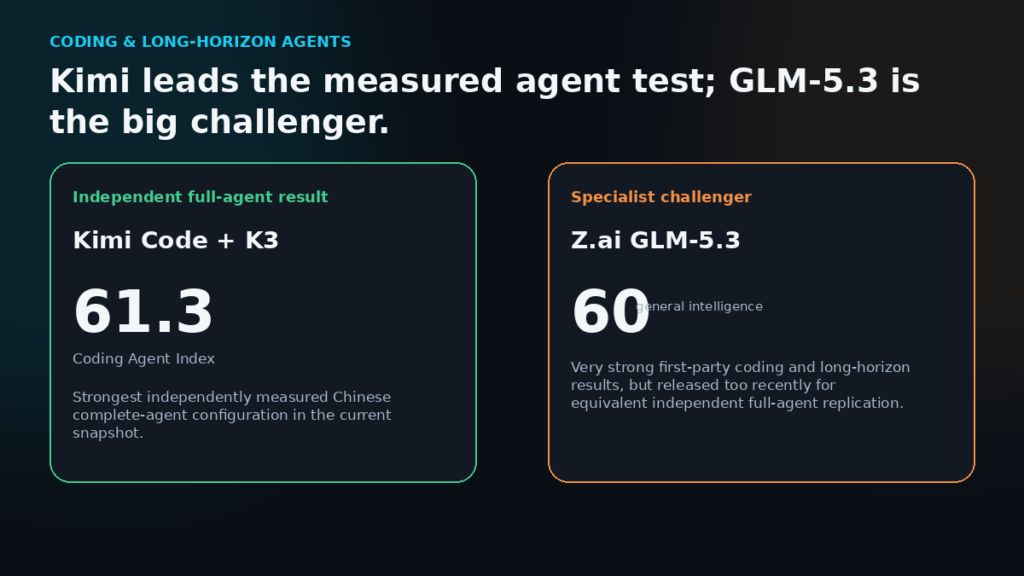
    The August GLSRM Coding Agent benchmark ranks Kimi Code CLI + Kimi K3 at 61.3 on its Coding Agent Index. That places it below the strongest Claude Code and Codex configurations, but comfortably inside the frontier group. A Claude Code configuration using Qwen3.8 Max scored 58.7, while Codex running DeepSeek V4 Flash scored 55.5.

    The important word here is configuration.

    GLSRM measures the complete agent — model, tools, harness and context-management system — rather than pretending the model alone determines coding performance.

    That is why we would not simply declare “Kimi is the best coding model.”

    And Z.ai complicates the picture further.

    Its new GLM-5.3 ties Kimi K3 at 60 on Artificial Analysis, while Z.ai reports major improvements in complex coding and long-horizon tasks over GLM-5.2.

    Z.ai’s Coding Plan starts at a promotional $12.60 per month, versus an $18 standard monthly price, with 10,000 weekly credits and support for more than 20 coding/agent tools.

    GLM-5.3 is simply too new to have the same depth of independent full-agent evidence as Kimi K3.

    So the current verdict is:

    Kimi has the strongest independently measured Chinese coding-agent configuration we found. Z.ai is the specialist most capable of overturning that result.
    MiniMax proves that raw IQ is not everything

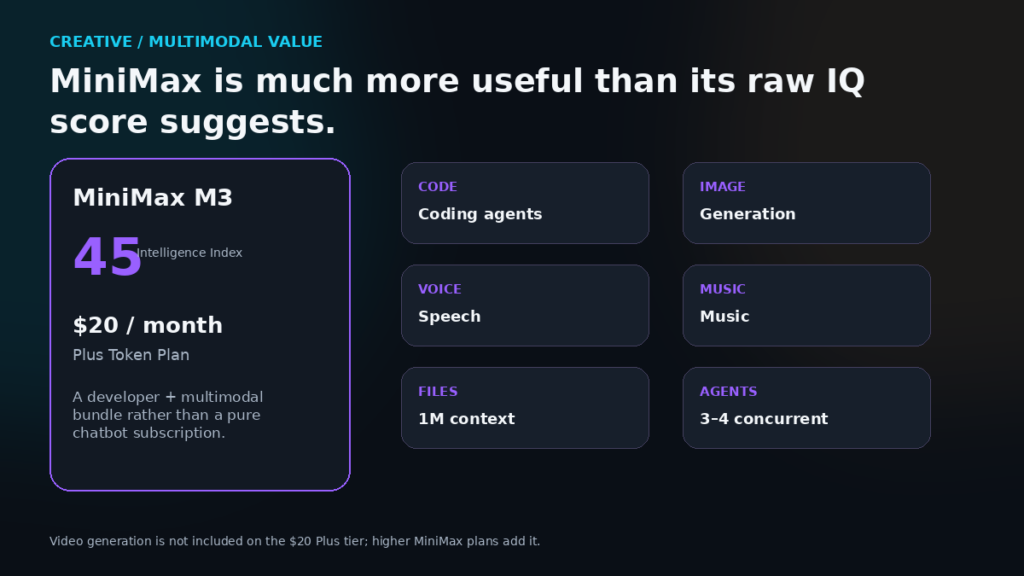
    MiniMax M3 scores only 45 on the same intelligence index.

    That number badly understates why MiniMax is interesting.

    M3 has a one-million-token context window, native image and video understanding, coding capability, agentic tools and computer use.

    Then look at the subscription.

    MiniMax’s $20/month Plus Token Plan includes roughly 1.7 billion M3 tokens per month, with text, image, speech and music sharing the same usage pool. Higher tiers raise the token allowance substantially.

    MiniMax has also continued expanding its creative stack, including Music 3.0 and its H3 multimodal generation family.

    That makes MiniMax less like “another ChatGPT” and more like a developer and creative-AI toolkit.

    If all you need is the smartest text model, choose something else.

    If you need coding, agents and several creative modalities from one ecosystem, MiniMax suddenly makes much more sense.
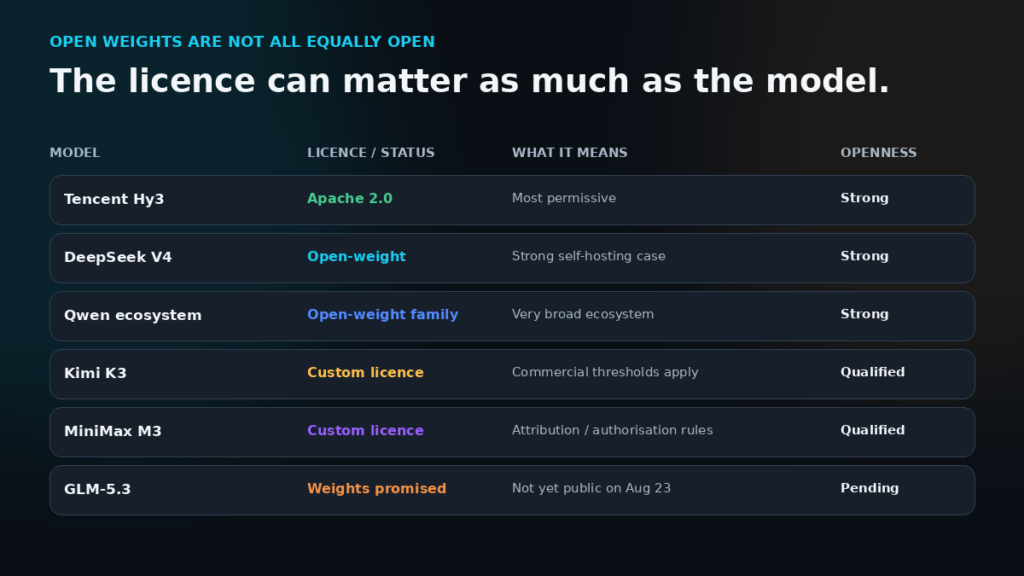
    Open weights are a major Chinese advantage — but read the licence

    This is one area where the Chinese market can be genuinely more attractive than the traditional Western subscription model.

    DeepSeek V4 Pro uses MIT.

    Tencent Hy3 uses commercially permissive Apache 2.0.

    Qwen has now released enormous Qwen3.8 weights alongside more deployment-friendly smaller versions.

    Kimi K3 is also downloadable, but it has its own Kimi K3 licence rather than MIT or Apache.

    MiniMax M3 similarly uses a custom community licence with commercial-use conditions.

    So “open-weight” should never be translated automatically into:

    “I can do anything I want commercially.”

    The model licence is part of the product.
    Tencent is the dark horse

    Tencent did not make our headline five, but it came much closer than expected.

    Hy3 scores 42 on Artificial Analysis, so it is not currently competing for the raw-intelligence crown. But it is fast, inexpensive and Apache 2.0 licensed.

    More importantly, Tencent has pushed it internationally through WorkBuddy, Miora and Tencent Cloud TokenHub. WorkBuddy can handle research, data analysis, documents, presentations and multi-agent workflows, while Hy3 is also available to developers through APIs.

    That combination — global availability, permissive licensing and very low inference cost — makes Tencent one of the contenders most worth watching.

    The global-user caveat matters

    A benchmark can tell you how capable a model is.

    It cannot tell you whether its privacy terms, payment system, regional access or regulatory environment fit your work.

    DeepSeek, for example, states in its current privacy policy that personal data collected through its consumer services is directly collected, processed and stored in the People’s Republic of China.

    That is not evidence that DeepSeek is unsafe, and it would be wrong to assume every Chinese provider has identical policies.

    It does mean that confidential business data, client files, regulated information and sensitive research should never be uploaded merely because the model is cheap.

    Read the actual provider’s current privacy and commercial terms first.

    Can these replace ChatGPT, Claude, Gemini or Perplexity?

    In some workflows, absolutely.

    Kimi is the closest Chinese challenge to ChatGPT’s broad AI-workspace strategy.

    Kimi and Z.ai are serious competitors for Claude-style coding and difficult knowledge work.

    Qwen and MiniMax challenge parts of Gemini’s multimodal proposition, although neither reproduces Google’s enormous Gmail, Drive, Docs and YouTube ecosystem advantage.

    Kimi and Qwen offer serious research tooling, although Perplexity still has a particularly clean source-first research experience.

    But perhaps the most disruptive competition is happening somewhere else entirely:

    price and control.

    Western AI products have generally competed by building increasingly polished subscription ecosystems.

    Chinese AI companies are increasingly offering a different combination:

    frontier capability + low API prices + downloadable weights + agentic products.

    For businesses building their own systems, that can matter more than which chatbot has the nicest interface.

    Which one should you choose?

    Choose Kimi if:

    You want one Chinese AI environment that can move between research, documents, coding, local files and agentic work.

    Our overall pick.

    Choose Qwen if:

    You want an excellent general AI without paying first, or you want access to Alibaba’s rapidly expanding open-model ecosystem.

    Our free pick.

    Choose DeepSeek if:

    You care about APIs, self-hosting, low inference costs and a permissively licensed flagship model.

    Our developer/value pick.

    Choose Z.ai if:

    Coding and long-running technical agents are your main workload.

    Our specialist pick.

    Choose MiniMax if:

    You want coding and agents alongside image, speech, music and broader multimodal creation.

    Our creative/developer pick.

    Final verdict

    The most important finding from this comparison is not that another Chinese company has “beaten DeepSeek.”

    It is that there is no longer one Chinese AI story.

    Kimi is building a full AI workspace.

    Qwen is making a remarkably broad AI product available for free while releasing increasingly powerful model weights.

    DeepSeek is attacking the economics of AI deployment.

    Z.ai is specialising in serious coding and long-running agents.

    MiniMax is combining technical AI with a much wider creative stack.

    And Tencent is emerging internationally with a low-cost, permissively licensed dark horse.

    If we had to choose one Chinese AI for the broadest range of work today, we would choose Kimi.

    If we did not want to pay, we would start with Qwen.

    If we were building a high-volume AI system and cared more about economics and control than the consumer interface, we would look extremely closely at DeepSeek.

    That is the bigger shift.

    Chinese AI is no longer interesting because it is simply cheaper than Western AI. It is interesting because its strongest companies are now competing on a different combination of intelligence, openness, agents, multimodality and cost.
  • ChatGPT vs Claude vs Gemini vs Perplexity: If You’re Paying for One AI Subscription, Which Should It Be?

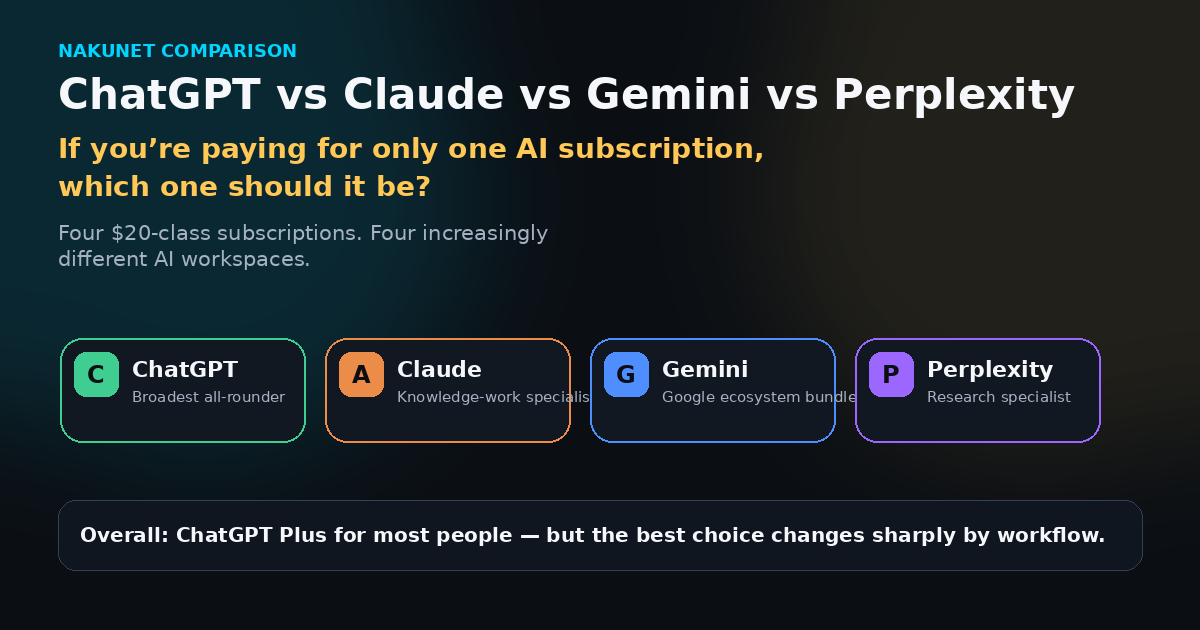
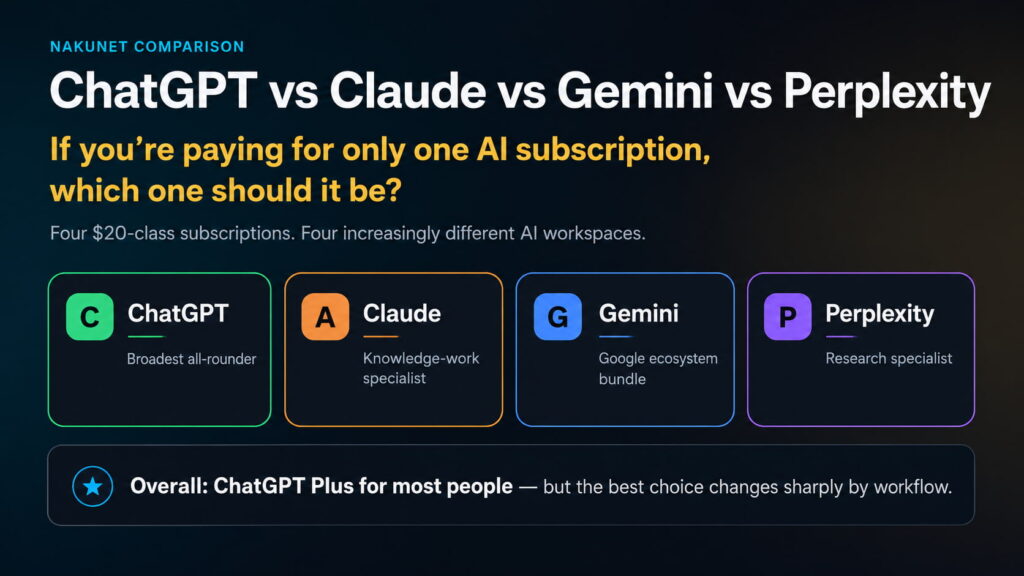
    ChatGPT vs Claude vs Gemini vs Perplexity: If You’re Paying for One AI Subscription, Which Should It Be?

    Paying for an AI assistant used to mean choosing the chatbot that gave the best answers.

    That is no longer the right comparison.

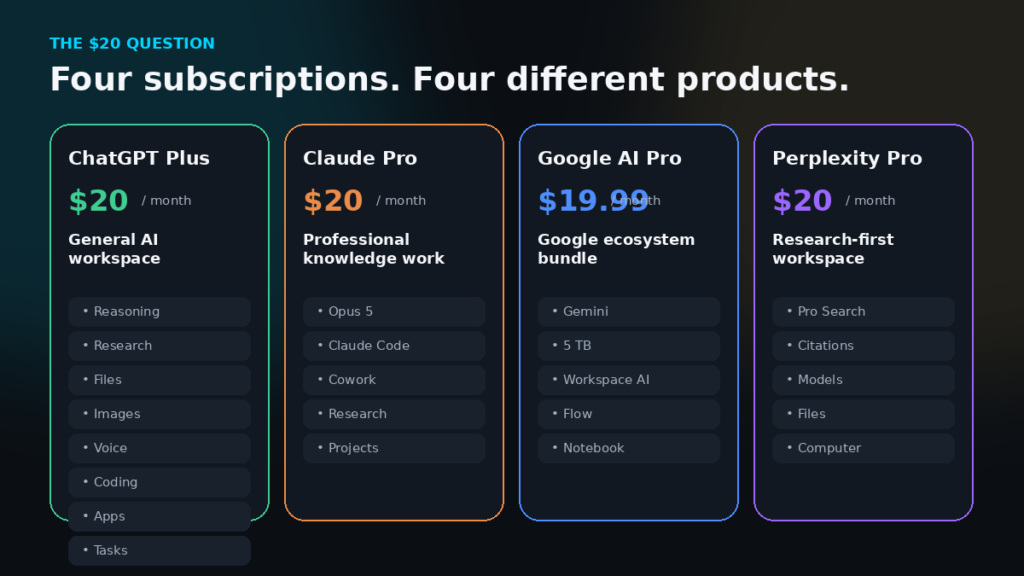
    ChatGPT Plus, Claude Pro, Google AI Pro and Perplexity Pro now cost roughly the same at their US reference prices, but they are becoming four very different products. One is turning into a broad AI workspace. One is strongest around professional knowledge work. One is increasingly a bundle built around the Google ecosystem. One remains the most research-first experience.

    So the useful question is no longer simply:

    Which model is smartest?

    It is:

    If you are paying for only one AI subscription, which one leaves you needing a second AI tool least often?

    Research checked: 23 August 2026. Features, usage limits, prices and regional availability can change quickly.

    The $20 question has changed

    At US reference pricing, ChatGPT Plus is $20 a month, Claude Pro is $20 a month or $200 a year, Google AI Pro is $19.99 a month, and Perplexity Pro is $20 a month or $200 a year.

    But the similarity largely ends at the price.

    ChatGPT Plus combines advanced reasoning, voice, image generation, file analysis and Deep Research. OpenAI has also expanded ChatGPT into Codex for coding, Work for longer end-to-end tasks, connected apps and scheduled work.

    Claude Pro now includes Claude Code and Cowork, with Opus 5 the strongest model on the Pro tier. Claude is increasingly a professional work environment rather than simply the chatbot people remember for good writing.

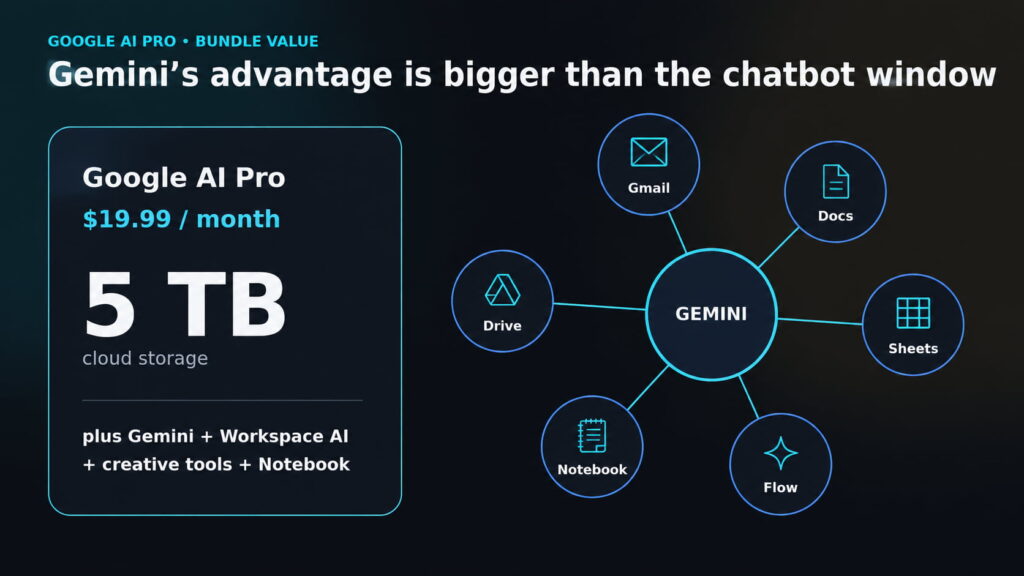
    Google AI Pro bundles Gemini and Deep Research with 5 TB of cloud storage, Gemini inside Google apps, expanded Notebook access, Google Flow, YouTube Premium Lite, Google Home Premium and other benefits.

    Perplexity Pro remains the most explicitly research-focused proposition: Pro Search, citations, multiple AI models, files and access to its Computer agent.

    The quick verdict

    For most people buying only one AI subscription, our pick is ChatGPT Plus.

    For writing, analysis, coding and document-heavy professional work, Claude Pro can be the better purchase.

    For someone who already lives in Gmail, Drive, Docs and the wider Google ecosystem, Google AI Pro may offer the best overall value.

    For someone whose main use is web research, source discovery and citation checking, Perplexity Pro remains the specialist choice.

    That split matters because ChatGPT does not win every category.

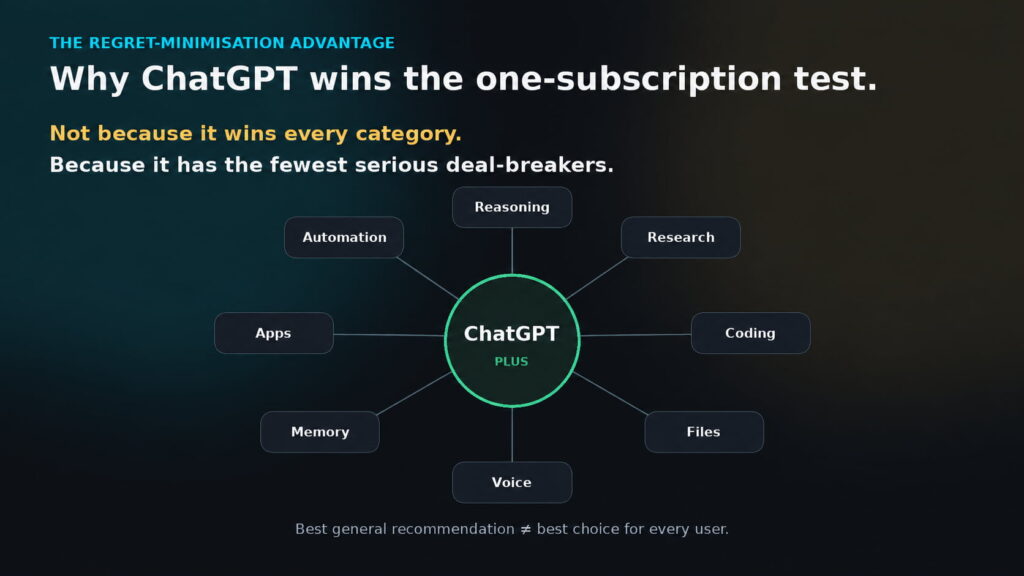
    It wins our one-subscription test because it currently has the fewest serious capability gaps.

    What matters mostOur pick
    Best single subscription for most peopleChatGPT Plus
    Difficult reasoning & knowledge workClaude Pro
    WritingClaude Pro
    CodingClaude Pro ≈ ChatGPT Plus
    Fast, source-first researchPerplexity Pro
    Deep research accuracyNo universal winner
    Voice & conversational multimodalityChatGPT Plus
    Images, video & creative-media breadthGoogle AI Pro
    Google ecosystem integrationGoogle AI Pro
    Bundle valueGoogle AI Pro
    Broadest overall capabilityChatGPT Plus

    Claude has the strongest case for raw model intelligence

    If this comparison were only about the underlying model, Claude would have a stronger claim than our overall winner.

    Artificial Analysis currently scores Claude Opus 5 at 63 on its Intelligence Index at maximum effort, GPT-5.6 Sol at 61 at maximum effort, GPT-5.6 Sol High at 57, and Gemini 3.1 Pro Preview at 48.

    There is also an important subscription-level distinction: ChatGPT Plus includes GPT-5.6 Sol at Medium and High in ordinary ChatGPT, but not Extra High or GPT-5.6 Sol Pro.

    Benchmarks are not universal laws, and a two-point difference does not mean Claude wins every task. But it does make something clear:

    Choosing ChatGPT Plus overall should not be confused with saying OpenAI currently has the strongest model in every configuration.

    For difficult writing, analysis and long-form knowledge work, Claude is the strongest alternative in this comparison. It is particularly compelling when your work involves large documents, extended reasoning, professional outputs or code.

    The trade-off is usage.

    Anthropic documents both five-hour session limits and weekly limits for Claude Pro. Consumption varies with conversation length, files, model choice, Research, tools, effort level and artifact creation. Paid usage credits can keep you working after the included allowance is exhausted, but at that point the effective cost changes.

    Coding is now much closer than the reputation suggests

    Claude has built an enormous reputation around coding, and deservedly so.

    But “Claude automatically wins coding” is now too simplistic.

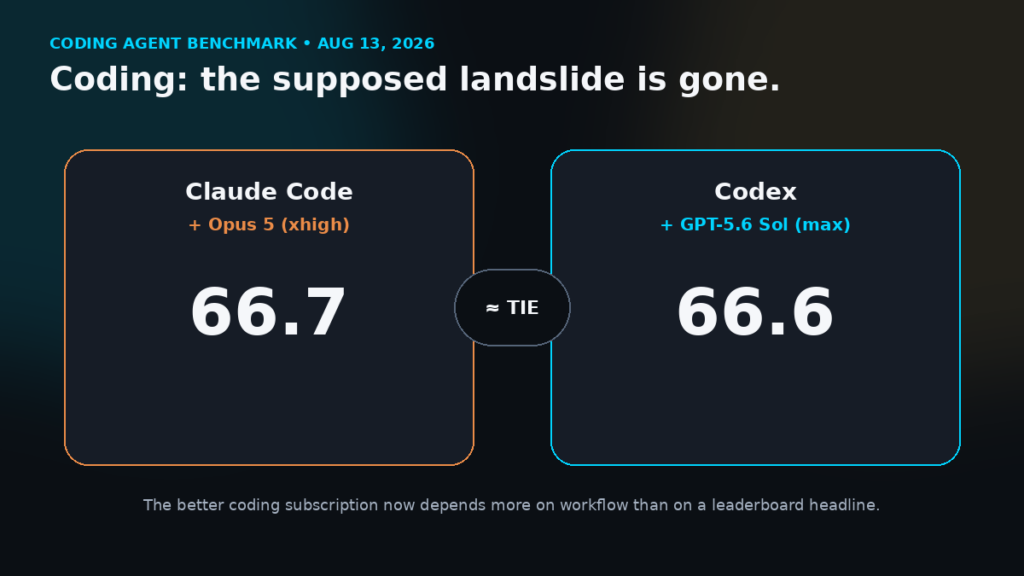
    The August 13 GLSRM Coding Agent Index puts:

    Claude Code + Opus 5 xhigh: 66.7

    Codex + GPT-5.6 Sol max: 66.6

    That is effectively a tie.

    The underlying results are even more interesting. Claude and Codex perform differently across real software-engineering tasks, terminal work and codebase understanding. In this benchmark, Codex also used less average cost per task and completed tasks considerably faster, while Claude held advantages in other areas.

    The practical conclusion is therefore not that one coding tool has defeated the other.

    It is that Claude Code and Codex are frontier peers, and your workflow matters more than a one-point leaderboard headline.

    Perplexity still offers the cleanest research-first experience

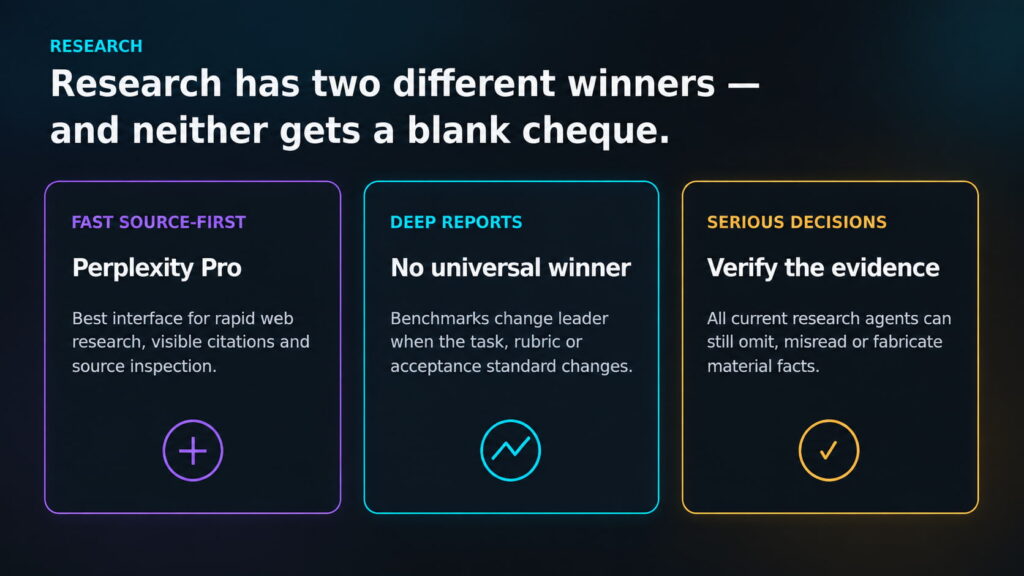
    For fast research where you want to see where claims came from, Perplexity remains difficult to beat.

    Its product is designed around real-time search, visible citations and source inspection rather than adding web research onto a general chatbot.

    Perplexity Pro also gives users several current Search models, including GPT-5.6 Terra, Gemini 3.1 Pro and Claude Sonnet 5.

    But there is an important distinction between:

    best research interface

    and

    most accurate deep-research agent.

    Those are not necessarily the same thing.

    A 2026 benchmark examined 42 expert-authored consulting tasks and 126 responses from Claude, OpenAI and Gemini research agents. Gemini achieved the highest strict acceptance rate, OpenAI performed better under another scoring measure, Claude was much stronger at reliably generating required deliverable files, and each system showed different failure patterns.

    The tested Claude and OpenAI versions are no longer current, so those percentages should not be presented as today’s product ranking.

    The important lesson is more durable:

    change the task or evaluation method and the research winner can change.

    For serious financial, legal, medical or business decisions, citations still need to be opened and checked.

    Gemini may actually be the best-value bundle

    Google AI Pro is the easiest subscription here to underestimate if you compare only the Gemini chat window.

    For $19.99 a month at the US reference price, Google currently bundles 5 TB of storage with expanded Gemini access, Deep Research, Gemini in Gmail, Docs, Vids and other Google apps, expanded Notebook access, Flow, YouTube Premium Lite, Google Home Premium Standard and other Google benefits.

    That is an aggressive package.

    If you already pay for cloud storage and spend your working day inside Google’s services, the question stops being:

    “Is Gemini better than ChatGPT?”

    The better question becomes:

    “How much of Google AI Pro would I already be paying for elsewhere?”

    Google also has the strongest case in this comparison for creative-media breadth. AI Pro includes expanded access to Google’s image, music and video generation models through Gemini and Flow.

    Where ChatGPT earns the overall win

    ChatGPT’s advantage is breadth.

    A Plus subscription covers strong reasoning, Deep Research, native image generation, voice, files and data analysis. Codex gives it a serious coding environment. Work extends it into longer tasks that can research, work across connected apps and files, and create finished artifacts. Scheduled tasks can handle recurring work or monitor the web and connected apps for changes.

    None of those capabilities alone guarantees it first place.

    The advantage is that they coexist.

    With Claude, a user who suddenly needs broader native creative-media capability may reach for another service.

    With Gemini, someone prioritising frontier text reasoning or certain coding workflows may prefer a specialist alternative.

    With Perplexity, someone moving from research into repeated autonomous work needs to pay close attention to its credit economics.

    That is why ChatGPT Plus wins for the general buyer:

    regret minimisation.

    Not because it wins every category.

    Because it has fewer circumstances where the answer becomes, “You need another AI subscription for that.”

    The limits nobody should hide in the comparison

    Every plan has catches.

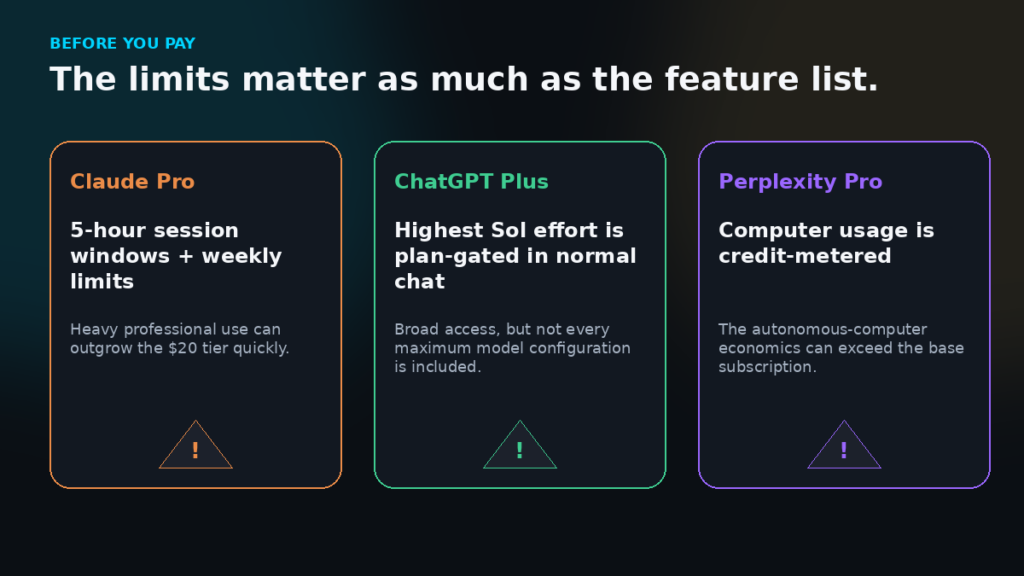
    Claude Pro: five-hour session limits and weekly usage limits remain relevant, particularly for heavy Claude Code, Cowork and long-context users.

    ChatGPT Plus: Plus gets GPT-5.6 Sol Medium and High in ordinary ChatGPT, but not Extra High or Sol Pro. Reasoning and tool limits still apply.

    Google AI Pro: individual products have their own usage limits, and some features vary by country or region.

    Perplexity Pro: this is the largest pricing caveat.

    Consumer Pro currently has no recurring monthly allocation of Computer credits. New subscribers may receive 4,000 one-time promotional credits, which expire after 30 days. After that, continuing to use Computer requires purchased credits. Perplexity currently values 100 credits at $1, with complex tasks potentially consuming hundreds or thousands of credits.

    There is another Perplexity wrinkle.

    In ordinary Search, Pro includes GPT-5.6 Terra and Claude Sonnet 5, but not GPT-5.6 Sol or Claude Opus 5; those are Max-level Search models. Computer can use Sol and Opus on Pro, but only when Computer credits are available.

    Which one should you actually buy?

    Buy ChatGPT Plus if:

    You want one subscription that can move between research, writing, reasoning, files, images, voice, coding and automation without forcing you deeply into one ecosystem.

    It is our safest recommendation for the broadest group of buyers.

    Buy Claude Pro if:

    Most of your work is writing, coding, analysis, documents or long-form professional knowledge work, and you are comfortable managing its usage limits.

    For this buyer, Claude can be better than our overall winner.

    Buy Google AI Pro if:

    Google already runs your digital life.

    The combination of Gemini, Workspace integration, creative tools and 5 TB of storage can make it the strongest economic proposition of the four.

    Buy Perplexity Pro if:

    Research is the job.

    If much of your day revolves around finding sources, comparing claims and checking citations, its research-first interface remains its strongest reason to subscribe.

    Final verdict

    There is no credible way to call one of these products simply “the best AI” without specifying what the buyer actually needs.

    Claude currently has the strongest claim to raw frontier intelligence among the native models compared here.

    Google offers the strongest ecosystem bundle.

    Perplexity remains the clearest research specialist.

    ChatGPT does not sweep those categories.

    But if the rule is strict — you can pay for only oneChatGPT Plus is our recommendation for most people.

    Not because it wins everything.

    Because it is currently the subscription most likely to let you move from one kind of serious AI work to another without immediately discovering that the capability you need lives somewhere else.

    For a one-subscription buyer, that may matter more than winning any single benchmark.

  • Which CRM Is Actually Best for a Small Business in 2026?

    Which CRM Is Actually Best for a Small Business in 2026?

    Best CRM for small business in 2026 comparison.

    A customer sends an enquiry.

    Someone replies.

    A follow-up is supposed to happen on Thursday.

    The prospect asks for a quotation two weeks later, but the person who originally spoke to them is away. Their colleague searches through email, WhatsApp, a spreadsheet and perhaps a notebook trying to reconstruct what happened.

    Another lead has already gone cold because nobody realized a follow-up was overdue.

    At some point, a growing business realizes that remembering customers is no longer the same thing as managing them.

    A CRM—customer relationship management system—is supposed to solve that problem.

    But choosing one introduces another.

    Search for the best CRM for a small business and the same names appear repeatedly: HubSpot, Salesforce, Zoho, Pipedrive, monday, Freshsales and dozens of alternatives. Each promises better organization, more automation, improved follow-up and stronger sales.

    Some start almost free.

    Others can cost thousands of dollars a year.

    Some are deliberately simple. Others can eventually run extraordinarily complicated customer operations.

    So which one should a small business actually choose?

    That is the question we set out to answer.

    And to answer it properly, we first had to stop treating every small business as though it works the same way.


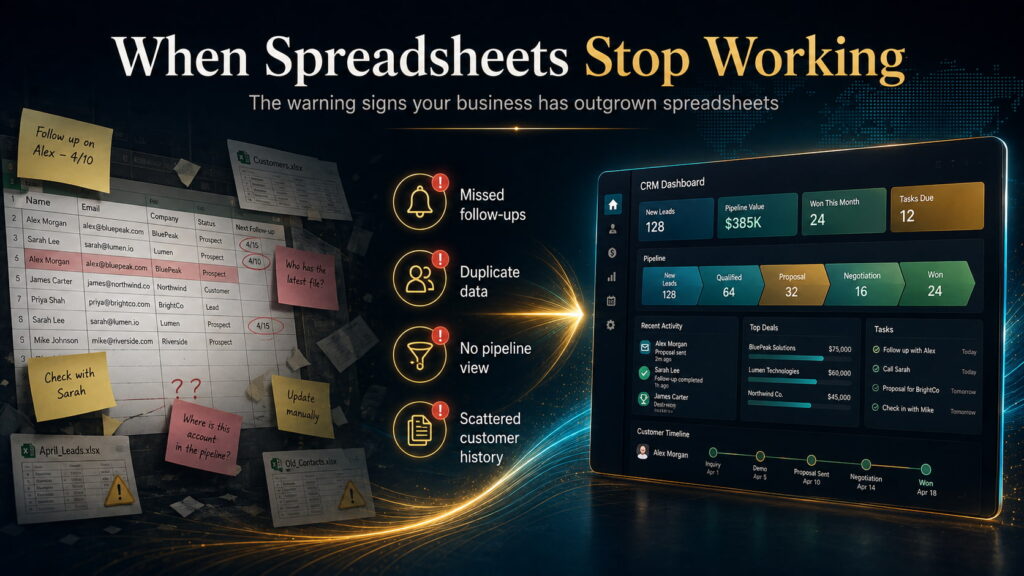
    When spreadsheets stop working

    There is nothing inherently wrong with managing customers in a spreadsheet.

    For a new business with five prospects and one person handling every sale, a CRM may add more administration than value.

    The problem appears when the business becomes harder to hold inside one person’s head.

    Leads arrive from several sources. Multiple employees speak to customers. Quotes need following up. Deals sit at different stages. Previous conversations matter. Management wants to know what is likely to close next month. Nobody is quite certain whether a prospect was forgotten or deliberately abandoned.

    The spreadsheet still contains information, but it no longer reliably controls the process.

    That is the point at which a CRM starts earning its place.

    A useful CRM should answer basic operational questions quickly: Who are we talking to? What has happened so far? What needs to happen next? Who is responsible? Which opportunities are progressing? Which ones are stuck? What is likely to convert?

    Once those questions become difficult to answer, the business has a customer-management problem rather than merely a data-storage problem.

    And that distinction matters when choosing software.


    What are we actually trying to find?

    The obvious question is:

    Which CRM has the most features for the lowest price?

    We think that is the wrong question.

    A CRM can have extraordinary automation, artificial intelligence, forecasting and customization—and still fail if employees find it irritating enough that they stop updating it.

    Another system may be extremely easy to use but become restrictive six months later.

    A third may appear inexpensive at $9 or $14 per user, only for the functionality the business actually needs to sit behind a $39, $90 or $100 plan.

    So our research question became more specific:

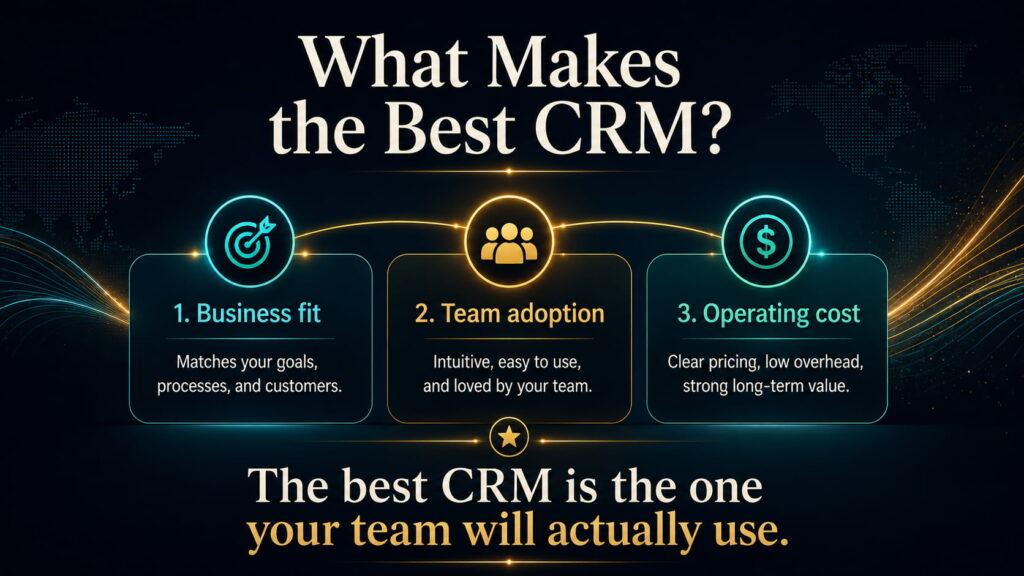
    Which CRM gives a small business the best fit for the way it currently sells, at a realistic operating cost, without creating unnecessary complexity or an obvious problem as the business grows?

    That requires more than comparing features.

    We looked at the current product structure and pricing of Bigin, Freshsales, Pipedrive, Zoho CRM, HubSpot, Salesforce, Attio, monday CRM and Close. We checked vendor documentation for plan limits and capabilities, then compared those claims with independent reviews and substantial user-feedback datasets to identify recurring patterns around usability, limitations, administration and cost.

    We also screened additional products before narrowing the main comparison.

    This is therefore a research comparison—not a claim that we installed nine CRMs into nine identical businesses and ran them for a year.

    Prices were checked in August 2026 and primarily use annual-billing rates in US dollars where available. Pricing, promotions and regional terms can change.


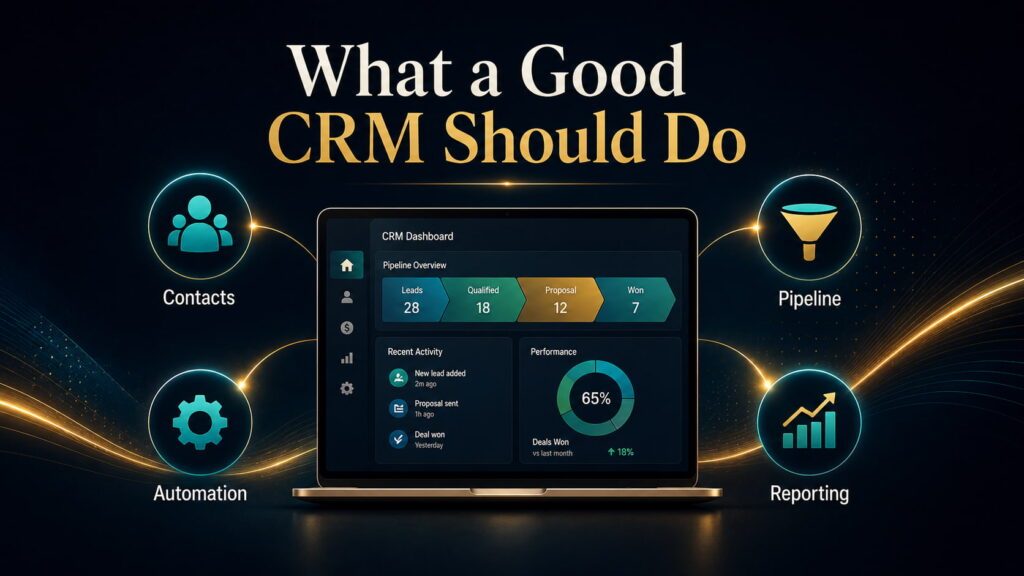
    What should a good CRM actually do?

    Before discussing brands, it helps to strip CRM software back to its purpose.

    A small business normally needs four things from it.

    It needs to organize customers and prospects so information is not fragmented across inboxes and employees.

    It needs to manage a pipeline so the business can see where opportunities are and what should happen next.

    It needs to reduce repetitive work through reminders, workflows, sequences or other useful automation.

    And it needs to make performance visible so decisions are based on what is happening rather than what everybody thinks is happening.

    Everything beyond that can be valuable—but only if the business actually needs it.

    This is where many CRM purchases go wrong.

    Companies buy for the future version of themselves rather than the company they currently operate. They choose the platform with the longest feature list, spend weeks configuring it and then discover that their five-person team mainly wanted a reliable way to track leads and follow-ups.

    The opposite mistake also happens: a business chooses something deliberately basic because it is cheap and discovers shortly afterward that reporting, automation or customization has become too restrictive.

    The best CRM therefore sits somewhere between what you need today and what you can realistically expect to need next.


    The starting price is often the wrong number

    CRM pricing looks straightforward until you inspect what each plan actually contains.

    Pipedrive, for example, starts at $14 per user per month annually. But its $39 Growth plan is where full email synchronization, automations, nurturing sequences, forecasting and meeting scheduling appear. Premium costs $59 and Ultimate $79. Pipedrive also has add-ons and usage top-ups depending on the plan.

    Freshsales takes a different approach. Its $9 Growth plan already includes chat, email, phone, custom fields and basic workflows. Pro costs $39 and adds functions such as scoring, sales sequences and deeper sales controls.

    Close illustrates the problem even more clearly. Its Solo plan is $9 annually and Essentials $35, but automated workflows and the Power Dialer arrive at the $99 Growth level. Calling and SMS are usage-based as well.

    HubSpot has an easy entry point, but Sales Hub Professional currently starts at $90 per sales seat per month annually, plus a required $1,500 one-time onboarding fee. HubSpot Credits can create additional usage costs.

    None of this means those higher-priced plans are bad value.

    It means the useful comparison is not:

    “What does this CRM start at?”

    It is:

    “What will the version that solves my problem actually cost?”


    What five users can cost

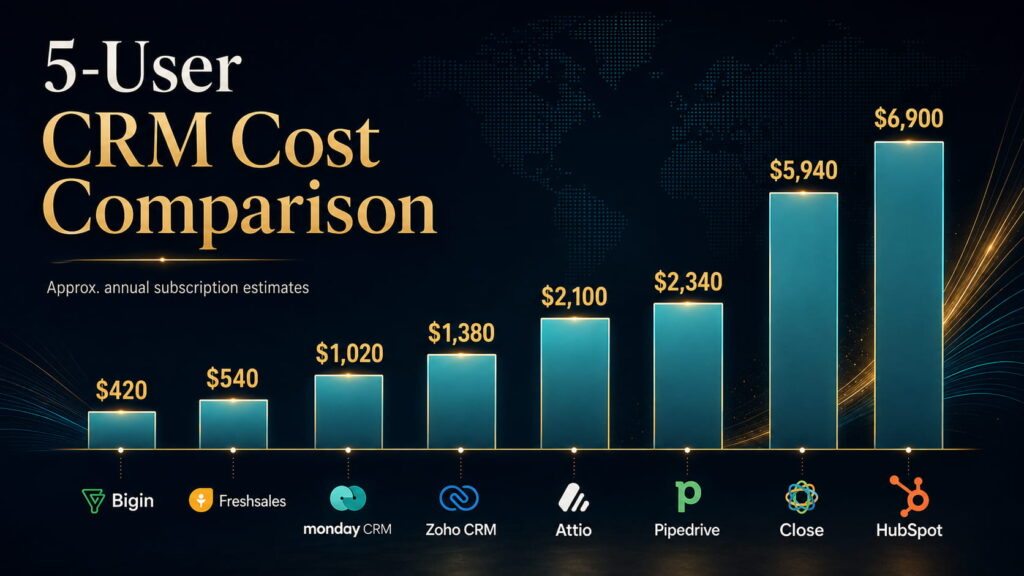
    To make that difference visible, consider a hypothetical five-user business.

    This is not a cheapest-to-most-expensive ranking. We selected a plan that reasonably represents the use case for which each CRM becomes interesting in this comparison.

    CRMIllustrative tierApprox. annual subscription for 5 users
    BiginExpress — $7$420
    FreshsalesGrowth — $9$540
    monday CRMStandard — $17$1,020
    Zoho CRMProfessional — $23$1,380
    AttioPlus — $35$2,100
    PipedriveGrowth — $39$2,340
    CloseGrowth — $99$5,940 + usage
    SalesforcePro Suite — $100$6,000
    HubSpotSales Hub Professional — $90 + onboarding$6,900 first year

    Bigin currently lists Express at $7 annually, Zoho CRM Professional at $23, Attio Plus at $35, monday CRM Standard at $17, Salesforce Pro Suite at $100, and the other prices follow the current official pricing above.

    But this table still does not represent true total ownership cost.

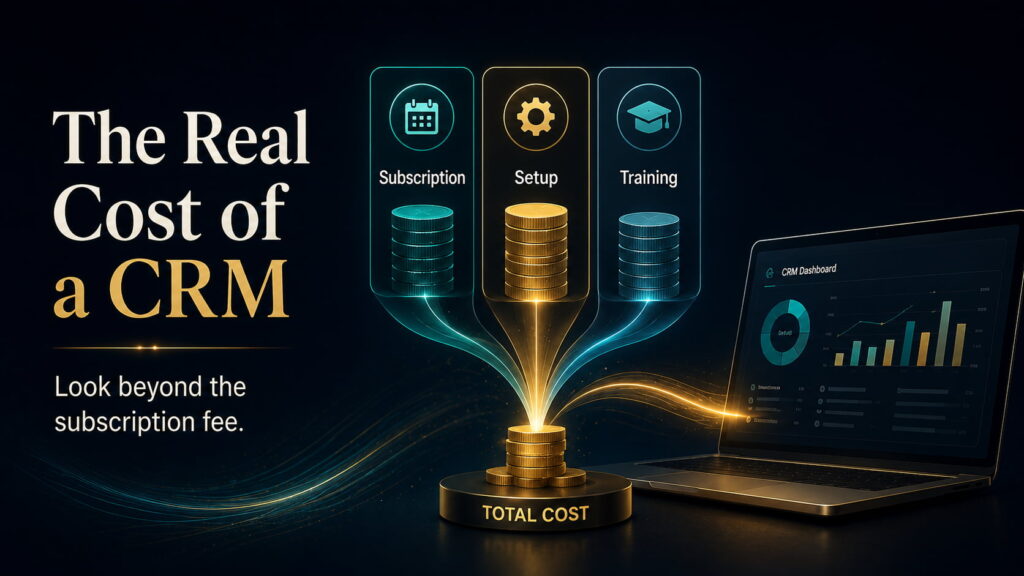
    Implementation, staff training, administration, additional integrations, telephony, marketing contacts, AI credits, data migration and optional add-ons can change the economics substantially.

    A $23 CRM that requires considerably more administration may be more expensive to operate than a $39 CRM your team understands immediately.

    That brings us to the individual products.


    Bigin: how simple can a CRM remain before simplicity becomes a limitation?

    Bigin is Zoho’s deliberately simplified CRM.

    That matters.

    Its $7 Express plan includes multiple pipelines, email and WhatsApp integration, dashboards, automation and a broad range of integrations. Premier costs $12 and expands records, automation and more advanced controls.

    The attraction is not merely the price.

    Bigin is designed around the idea that a small company should be able to start managing customers without first designing a complicated CRM architecture.

    That position is supported by a substantial user base. G2’s current review set contains roughly 800 Bigin reviews, with simplicity, ease of use and intuitive setup recurring prominently; limitations in advanced features, customization and integrations also appear repeatedly.

    That trade-off makes sense.

    A two-person business leaving spreadsheets may gain more from a CRM it can configure this afternoon than from one capable of supporting a multinational sales organization.

    The question is whether the company is likely to outgrow that simplicity quickly.

    Best fit: a microbusiness or very small team buying its first serious CRM.

    Main risk: choosing it when sophisticated reporting, customization or automation is already required.

    Our assessment: Bigin is the strongest first-CRM option in this comparison.


    Freshsales: how much useful CRM can $9 actually buy?

    Freshsales was one of the more interesting results because its lowest paid tier is not merely an entry shell.

    At $9 per user per month annually, Growth includes contact lifecycle management, chat, email, phone, custom fields and basic workflows. Pro costs $39 and introduces scoring, deal insights, territory management and sales sequences.

    That gives a small sales team meaningful functionality before pricing becomes substantial.

    Its user evidence also reinforces the positioning. G2 currently shows more than 1,200 reviews, with usability, setup and automation recurring positively, while advanced reporting and missing higher-level capabilities appear among repeated limitations.

    Freshsales therefore presents a difficult challenge to more famous CRM brands.

    A small company may simply not need to pay significantly more for its first useful automation and communications stack.

    The trade-off appears later, when requirements become more sophisticated.

    Best fit: a small sales team that wants meaningful automation and communications without a large software bill.

    Main risk: assuming the inexpensive Growth plan will also satisfy unusually advanced reporting or customization requirements.

    Our assessment: Freshsales offers the strongest paid value for a typical small sales team.


    Pipedrive: does focus beat breadth?

    Pipedrive approaches the problem differently.

    It is fundamentally a sales CRM, and much of its appeal comes from not pretending otherwise.

    The visual pipeline, activities, next actions and deal movement are central. Growth, at $39 per user annually, adds the email synchronization, automations and sequences that make it a much stronger day-to-day sales system.

    That focused architecture has an important operational consequence: adoption.

    G2’s current dataset includes more than 3,000 Pipedrive reviews. Ease of use, intuitive operation and simplicity occur repeatedly among the positive themes; advanced-feature limitations and price are recurring concerns.

    That is not incidental.

    A CRM only becomes useful when employees consistently record activity, update deals and trust the data inside it.

    A feature-rich system that salespeople avoid can be economically worse than a narrower system they reliably use.

    Where Pipedrive becomes less convincing is outside the sales process. Broader marketing, project delivery and other functions can require add-ons or separate systems. Projects, for example, remains an add-on on Lite and Growth while being included at Premium and Ultimate.

    Best fit: a conventional sales-led small business that values pipeline clarity and adoption.

    Main risk: expecting the CRM to become an all-in-one operating system for marketing, support and delivery.

    Our assessment: Pipedrive is the strongest default sales-first CRM in the group.


    Zoho CRM: when does capability become complexity?

    Zoho CRM takes almost the opposite approach.

    Its pricing remains aggressive while offering a very broad capability surface.

    Standard is currently $14 per user per month annually, Professional $23, Enterprise $40 and Ultimate $52. Professional and the higher tiers progressively add deeper process management, automation and customization.

    For a company willing to configure its CRM carefully, that is difficult to ignore.

    The potential hidden cost is not necessarily another subscription.

    It is time.

    More configurable systems require decisions: fields, stages, rules, permissions, automation logic, reporting structures and responsibility for maintaining all of it.

    That is why two companies can have completely different experiences with the same CRM. One uses a straightforward setup and finds Zoho economical and powerful. Another attempts to exploit every possibility and creates an administration burden.

    Best fit: a cost-conscious growing company that genuinely needs greater customization and automation.

    Main risk: buying the features because they are available rather than because somebody has a clear plan for operating them.

    Our assessment: Zoho CRM provides the strongest capability-per-dollar among the more configurable traditional CRMs.


    HubSpot: are you buying a CRM or building a growth platform?

    HubSpot becomes easier to understand when it is not judged purely as a sales pipeline.

    Its advantage is the relationship between CRM, marketing, content, forms, customer service and the wider customer journey.

    For an inbound-led business, that can matter enormously.

    A visitor discovers an article, completes a form, enters the CRM, receives marketing communication, books a meeting and eventually becomes a sales opportunity. Keeping those interactions inside a connected platform can be more valuable than choosing the cheapest standalone sales CRM.

    The difficulty is the cost curve.

    Professional currently starts at $90 per sales seat per month annually and requires $1,500 in onboarding. Enterprise begins at $150. HubSpot is also increasingly using credits for AI-driven capabilities.

    The mistake would therefore be evaluating HubSpot only from its free or Starter experience.

    A business considering it should model the version it could plausibly need in 12–24 months.

    Best fit: a company where inbound marketing and sales are genuinely connected.

    Main risk: adopting the ecosystem cheaply and discovering later that the functionality that justified the platform sits behind a much more expensive tier.

    Our assessment: HubSpot is the strongest option here for an inbound-led sales-and-marketing operation, not the default recommendation for every small business.


    Salesforce: is enterprise-level runway now relevant to small businesses?

    Salesforce used to be easy to dismiss from a small-business comparison.

    That is no longer sensible.

    Starter Suite now costs $25 per user per month and includes lead, account, contact and opportunity management, lead routing, sales flows and email-related functionality. Pro Suite costs $100 annually and adds significantly greater customization, automation, quoting and forecasting.

    That creates a genuine entry path for smaller companies that expect their operating complexity to increase.

    But the fundamental Salesforce trade-off has not disappeared.

    Its value rises as the company needs more customization, integrations, controls and process depth.

    If those needs never materialize, the same flexibility can become unnecessary complexity.

    There is little value in buying a system capable of supporting tomorrow’s 100-person revenue operation when today’s six-person team cannot comfortably maintain it.

    Best fit: a growing company with credible—not hypothetical—reasons to expect substantial process and integration complexity.

    Main risk: paying today’s complexity cost for future requirements that may never exist.

    Our assessment: Salesforce provides the greatest long-term extensibility in this comparison.


    Attio: what if a normal CRM structure is the problem?

    Traditional CRMs generally assume that customer relationships can be organized around familiar objects such as contacts, companies and deals.

    That works for many businesses.

    It does not work equally well for all of them.

    Attio’s attraction is its more flexible data model and modern approach to structuring relationships.

    Its Free plan supports up to three seats. Plus costs $35 per user per month annually and Pro $79. The higher tiers expand objects, reporting, permissions, sequences and automation, while Attio also uses seat and workspace credits for parts of its AI and automation system.

    That makes it particularly interesting for startups, partnership-led organizations and companies with relationship structures that do not naturally fit a classic pipeline.

    But flexibility only has value when the business needs flexibility.

    Choosing Attio because it looks modern is not a business case.

    Best fit: a startup or organization with unconventional relationship structures or multiple go-to-market motions.

    Main risk: paying for structural flexibility when a conventional sales CRM would be simpler.

    Our assessment: Attio is the strongest modern flexible CRM in the group, although its evidence base is younger than the established platforms.


    monday CRM: should CRM and operations live together?

    Some businesses do not really have a CRM problem in isolation.

    They have a workflow problem.

    A deal is sold and then becomes a project. Tasks need assigning. Work moves across departments. The boundary between customer management and operational management is less clear.

    That is where monday CRM becomes interesting.

    Its Basic plan currently costs $12 per seat monthly on annual billing, Standard $17 and Pro $28, with plans beginning at three seats. Standard includes centralized communications and 250 custom automations per month, while Pro significantly expands automation capacity and sales functionality.

    Its strength is configurability.

    Its weakness comes from the same place.

    A highly flexible environment allows a company to shape the system around its process, but somebody first has to decide what that process should be.

    Best fit: businesses wanting CRM and broader workflow management in a configurable environment.

    Main risk: overbuilding something the sales team finds harder to use than a conventional CRM.

    Our assessment: monday CRM is the strongest CRM/work-management hybrid in the comparison.


    Close: what if selling is mostly outbound communication?

    Close is easier to judge because its intended use is unusually clear.

    It is designed around sales teams that spend a large part of the day contacting prospects.

    Email, calling and SMS sit directly inside the CRM.

    Essentials costs $35 per user per month annually and includes those communication tools. Growth costs $99 and adds automated workflows, Power Dialer, bulk email and additional AI capacity. Calling and SMS remain usage-based.

    That creates an important pricing lesson.

    For a business that rarely makes outbound calls, Close at $99 can look expensive.

    For an outbound team replacing several communication and automation tools, comparing that $99 only with a cheaper CRM seat is misleading.

    The value depends on whether the business actually operates the way Close expects it to.

    Best fit: a calling-, email- and SMS-heavy outbound sales organization.

    Main risk: buying a communications-first platform when outbound communication is not central to the sales model.

    Our assessment: Close is the clearest specialist winner for outbound sales.


    Start with how you sell

    After comparing the products, the decision becomes much simpler when the software names are temporarily removed.

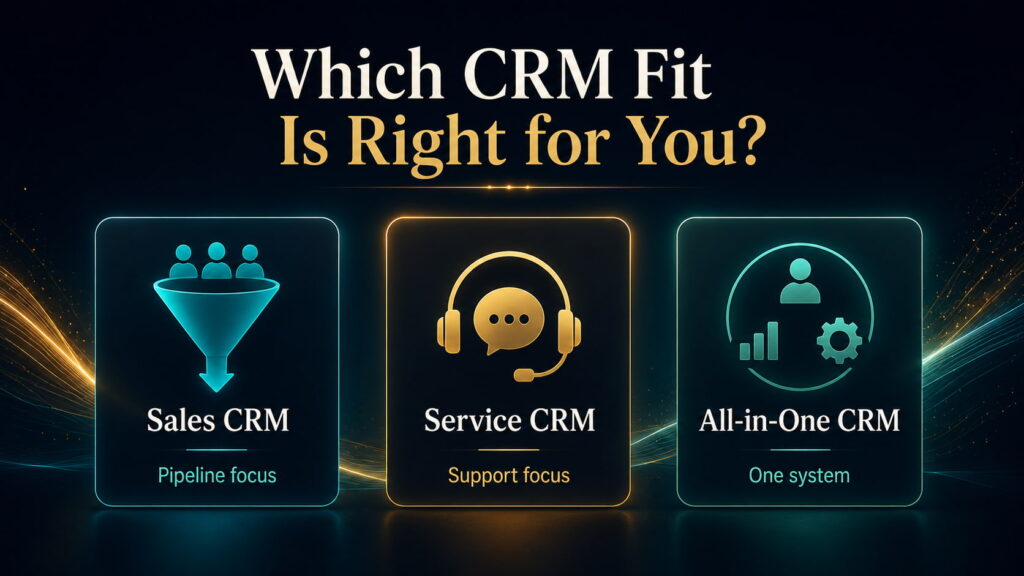
    If your business is moving out of spreadsheets and needs basic discipline without a large learning curve, start by investigating Bigin.

    If you have a small sales team and price matters heavily, Freshsales deserves serious attention.

    If the central requirement is a focused sales pipeline that representatives are likely to adopt quickly, Pipedrive is the stronger starting point.

    If you want extensive capability without enterprise-level pricing and are prepared to configure the system, investigate Zoho CRM.

    If customers are primarily generated through inbound marketing and you want marketing and sales tightly connected, HubSpot becomes much more compelling.

    If your organization genuinely expects complex processes and deep integrations, Salesforce becomes a rational candidate rather than automatic overkill.

    If a traditional CRM data model feels restrictive, examine Attio.

    If the customer journey needs to connect directly with flexible operational workflows, monday CRM deserves consideration.

    And if the sales process revolves around frequent outbound calling, email and SMS, Close should be high on the shortlist.

    Only after identifying that operating model should a business begin comparing individual feature checklists.


    Choosing the CRM is only part of the job

    A good CRM can still fail badly.

    The usual failure is not that the database stops functioning.

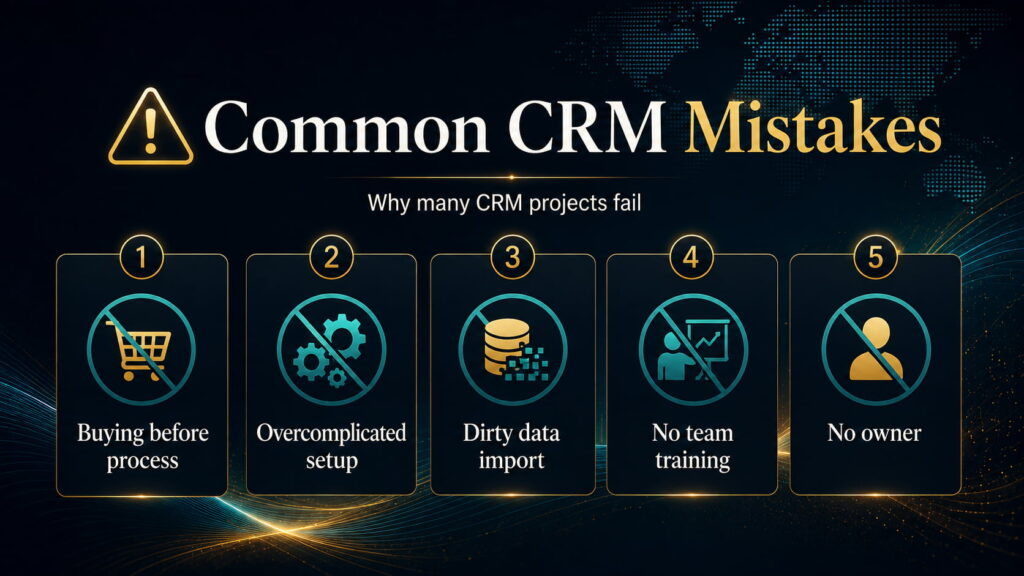
    The business implements too much too quickly, imports poor-quality data, gives nobody clear ownership of the system, creates unnecessary fields and stages, and then wonders why employees return to spreadsheets and private notes.

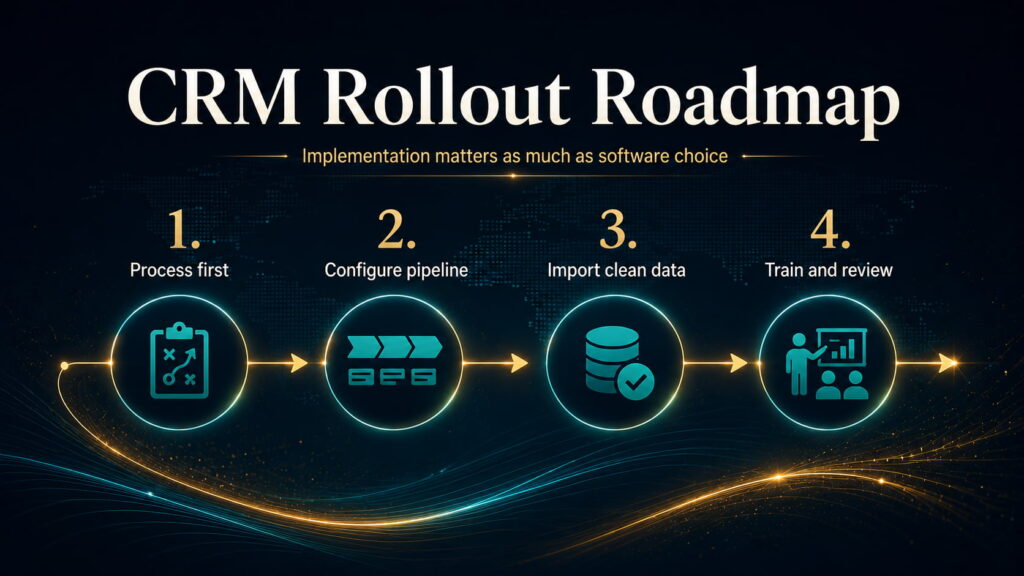
    Implementation should begin with the business process, not the software.

    Define how a lead becomes a customer.

    Clean the information being imported.

    Build only the pipeline and automation needed to support that process.

    Give responsibility for the CRM to someone.

    Then train the people expected to use it and watch where adoption breaks.

    The goal is not to create an impressive CRM.

    The goal is to create a reliable operating habit.


    What CRM comparisons often leave out

    Subscription cost is only the visible part of CRM economics.

    The more useful equation is:

    subscription + add-ons + communications + AI/automation usage + implementation + training + administration + integrations + migration risk = real operating cost

    The proportions vary enormously.

    HubSpot has explicit onboarding costs at Professional and Enterprise. Close charges separately for telephony and SMS usage. Attio has an additional credit economy. Pipedrive can involve add-ons and top-ups. monday has automation limits by tier.

    There is another cost that rarely appears on a pricing page:

    poor adoption.

    If half the team stops entering activities, managers stop trusting the pipeline.

    Once managers stop trusting the CRM, they request spreadsheets and manual reports.

    The organization then pays for the CRM while recreating the system it was supposed to replace.

    Ease of use is therefore not merely aesthetic.

    It can have direct financial value.


    Other CRMs worth knowing about

    Our wider screening did not begin with nine products.

    Platforms including Vtiger, Flowlu and Salesmate also deserve attention for particular businesses.

    Vtiger is especially interesting where CRM needs to sit closer to help desk, campaigns and inventory-related operations.

    Flowlu can make sense for service businesses where the customer journey moves from sale into project delivery, time tracking and billing.

    Salesmate remains a credible sales and communications alternative.

    They did not displace the main candidates strongly enough across our chosen use cases to justify turning this into a 15-product catalogue.

    The objective is not to mention every CRM.

    It is to reduce the decision.


    So which CRM is actually best for a small business?

    After the research, there is no defensible single answer for every small company.

    But there are clear answers once the business itself is defined.

    For a microbusiness buying its first CRM, Bigin is our strongest choice.

    For a small team seeking exceptional paid value, Freshsales is difficult to beat.

    For a conventional sales-led company, Pipedrive is the strongest default because focus and adoption matter.

    For deeper customization at comparatively low software cost, Zoho CRM is extremely compelling.

    For an inbound-led sales and marketing operation, HubSpot has the strongest structural advantage.

    For a company with genuine reasons to expect extensive future complexity, Salesforce provides the greatest runway.

    For unconventional relationship models, Attio offers the most interesting modern alternative.

    For businesses that want CRM and flexible workflow management together, monday CRM is the better fit.

    And for communication-heavy outbound sales, Close is the clearest specialist.

    The mistake is choosing among those products before understanding the business problem.

    The longest feature list does not automatically make the best CRM.

    The cheapest plan does not automatically produce the lowest operating cost.

    And the platform with the greatest future capability is not necessarily the system your company needs today.

    The better question is the one we should have asked from the beginning:

    How does your business actually sell, what needs to happen reliably after a lead appears, and how much complexity are you prepared to operate to make that happen?

    Once those answers are clear, choosing the CRM becomes considerably easier.

  • Seedance 2.5 vs MiniMax H3 vs Kling 3.0: Which AI Video Model Should You Actually Use?

    Seedance 2.5 vs MiniMax H3 vs Kling 3.0: Which AI Video Model Should You Actually Use?

    AI-video comparisons have a problem.

    The model that produces the most impressive demo is not always the model that is easiest to direct, cheapest to iterate with, or most reliable once you need the same character to survive several shots.

    That difference matters because AI video is expensive in a very specific way: you do not pay only for the clip you keep. You also pay for the failures that never make the edit.

    A model can look extraordinary on attempt one and become frustrating by attempt six. Another can look slightly less spectacular but follow references more reliably. A third may only make sense once you learn its production workflo

    So the useful question is not simply: Which model makes the prettiest video?

    It is: Which model gives you the best chance of finishing the kind of video you actually want to make?

    That is what we set out to answer.

    Our research coded 511 criterion-level observations across 212 separate source lineages, while keeping large benchmark populations separate from individual production evidence. Collection stopped only after two consecutive evidence batches stopped materially changing the conclusions.

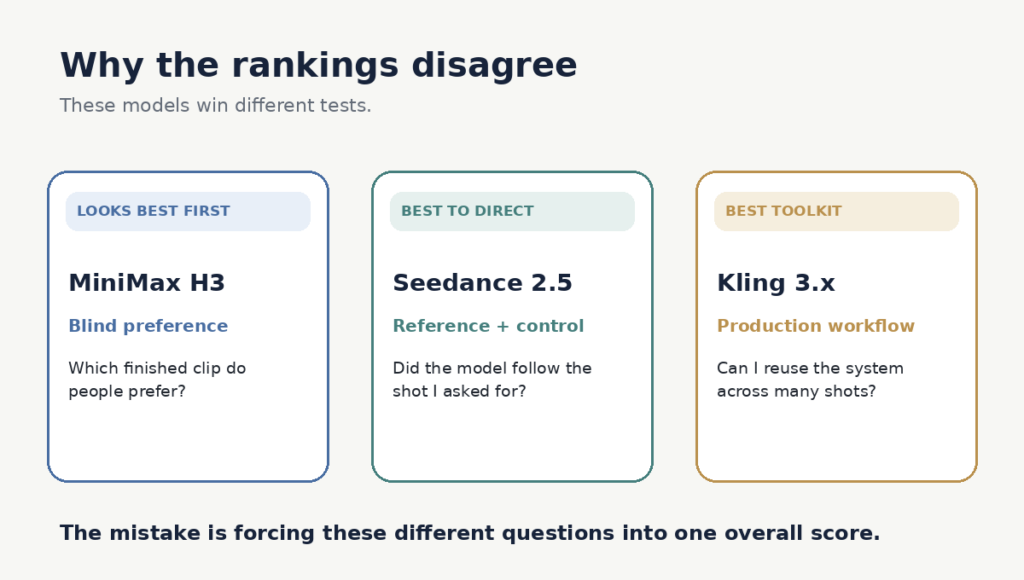
    Why the rankings disagree

    blind-preference test asks a simple question: Which finished clip do people prefer?

    A working creator has to ask something harder: Can I keep the character consistent? Will the model follow the camera move? How many rerolls will this take? What happens when hands touch objects? And what does a usable result actually cost me?

    Those are different tests.

    In the August 14 Image-to-Video Arena snapshot, MiniMax H3 ranked first at 1489±7, Seedance 2.5 second at 1484±12, while Kling v3 Pro scored 1356±6. But those votes measure visual preference—not workflow, retries, reference control or production cost.

    Once we separated those questions, the three models stopped looking like competitors for one crown. They started looking like tools built for different jobs.

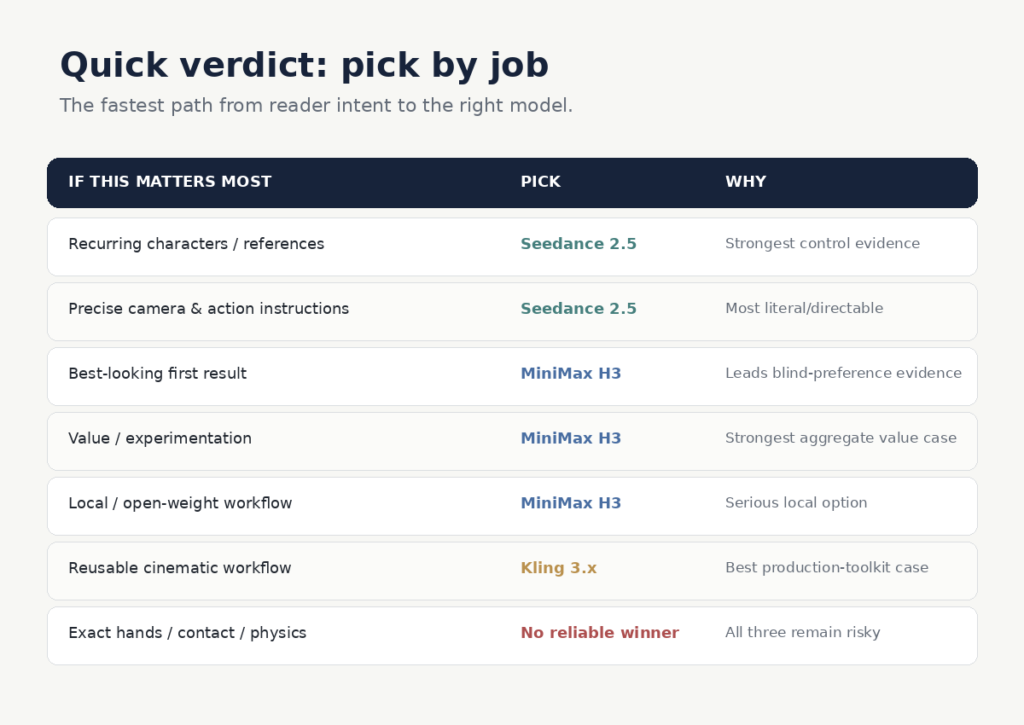
    The quick verdict

    The short version is:

    Seedance 2.5 makes the strongest case when control, recurring characters and reference fidelity matter most.

    MiniMax H3 makes the strongest case for visual first impression, value and local/open-weight workflows.

    Kling 3.x makes the strongest case as a reusable cinematic production toolkit.

    For exact hands, contact and complex physical interaction, there is still no reliable winner.

    Now the useful part is understanding why.

    Seedance 2.5: best when you need the model to obey you

    Seedance produced the clearest specialist win in our research.

    Its strongest evidence appeared in reference fidelity, recurring-character consistency, prompt adherence and camera execution. It also has the strongest practical case of these three for longer connected single-pass storytelling.

    ByteDance says Seedance 2.5 can generate up to 30 seconds in one pass and accept up to 50 multimodal reference assets. BytePlus currently offers 480p/720p Seedance 2.5 resource plans starting at $32 for 5 million tokens, valid for three months.

    If your process begins with:

    This is my character. This is my location. This is the camera move. These are the actions. Follow them.

    Seedance is the strongest fit of these three.

    The catch is that continuity is not the same as physical truth. Seedance can keep the person recognizable and the camera direction intact while still getting hand contact, object interaction or fast action wrong. Its premium also matters when a workflow requires several rerolls.

    Verdict: choose Seedance when directability and reference continuity matter more than raw price.

    Try Seedance 2.5 on BytePlus

    MiniMax H3: best when you want visual punch, value or local control

    H3 almost reverses the Seedance proposition.

    Its reference and camera evidence is more mixed, and its workflow is unusually sensitive to prompt structure, reference roles, duration and resolution.

    Yet H3 led the blind image-to-video preference evidence captured in our research and produced the strongest aggregate value signal of the three.

    MiniMax describes H3 as an open model with multimodal text, image, video and audio context, native stereo audio, output up to 2K, and generations up to 15 seconds.

    That gives buyers two legitimate paths:

    Direct / technical: use MiniMax or the available H3 weights where the license and hardware fit your use case.

    Hosted / convenient: use a platform such as AKOOL, which currently lists MiniMax H3 alongside other video models.

    The weakness is operator sensitivity. Hosted and local H3 can have very different economics, and higher-resolution local generation can become slow quickly.

    Verdict: choose H3 if visual first impression, experimentation economics or local ownership matter more than perfect literal obedience.

    View MiniMax H3 directly

    Try H3 in AKOOL

    Kling 3.x: best when you want a production toolkit

    Kling is the model most likely to look underrated if you judge it only by a leaderboard.

    Its real case is the system around the generator: multi-shot, reusable elements, binding and Motion Control.

    Experienced users are not merely asking Kling for a clip. They are building repeatable workflows around it.

    That can produce excellent human-centric cinematic work—but it also creates one of the largest gaps between best-case demos and ordinary production yield. Fast movement, hands, head turns, occlusion and complicated body interaction repeatedly show up as failure triggers, and retries can become expensive.

    Kling’s pricing is credit-based and varies with model, resolution, audio and plan. Because those costs move and depend heavily on settings, we would not publish one universal “Kling costs $X per second” figure.

    Verdict: choose Kling if you want to learn and operate a reusable cinematic workflow rather than simply generate one impressive clip.

    Explore Kling 3.x

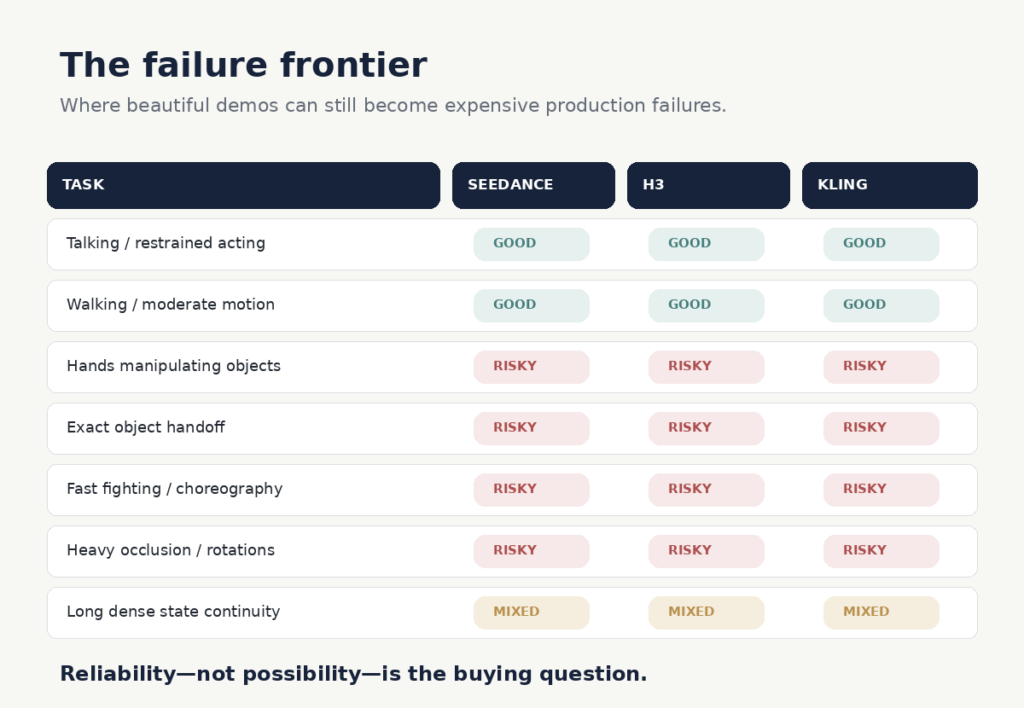
    The failure frontier: none of them has solved this

    All three can produce spectacular examples of difficult motion.

    That is different from producing them reliably.

    The recurring danger zones were remarkably consistent: hands manipulating objects, precise object handoffs, contact-heavy choreography, heavy occlusion, large body rotations and long scenes where exact object or clothing state has to survive every change.

    If a paid production depends on one of those actions, the smarter decision may be to redesign the shot rather than simply switch models.

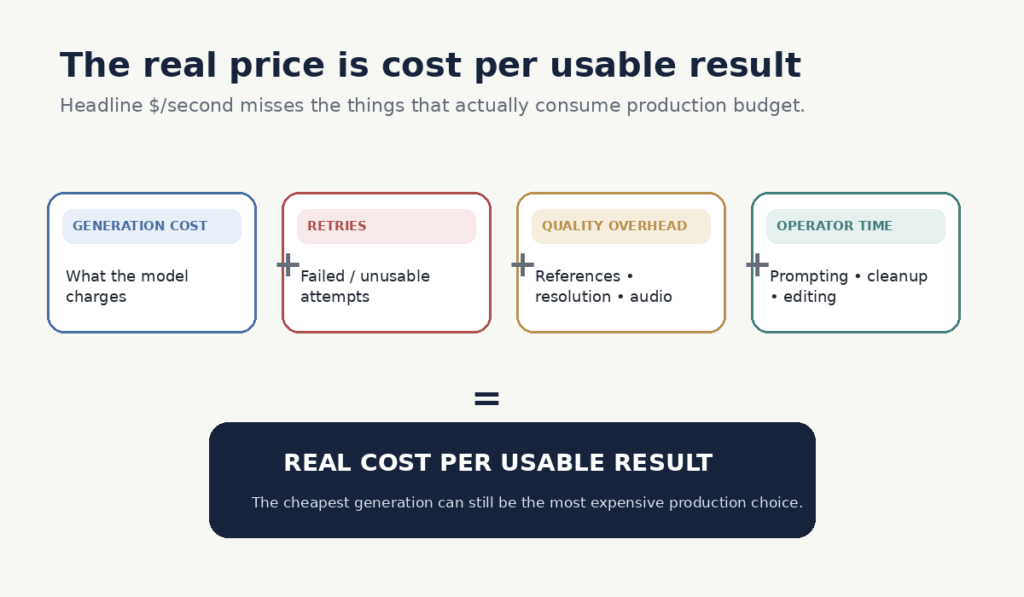
    The real price is cost per usable result

    Most comparisons show price per generated second.

    That misses the production cost.

    A cheaper model that needs five attempts can easily cost more than a premium model that gives you the usable result in two. Add reference charges, resolution or audio overhead, and operator time, and headline pricing becomes even less informative.

    That is why H3 can have a strong value case despite its workflow complexity.

    It is why Seedance’s premium can make sense when one controlled longer take replaces several independently generated clips.

    And it is why Kling’s economics can look completely different for an experienced Motion Control user and someone repeatedly burning credits on difficult shots.

    Price per generated second tells you what generation costs. Cost per usable result tells you what production costs.

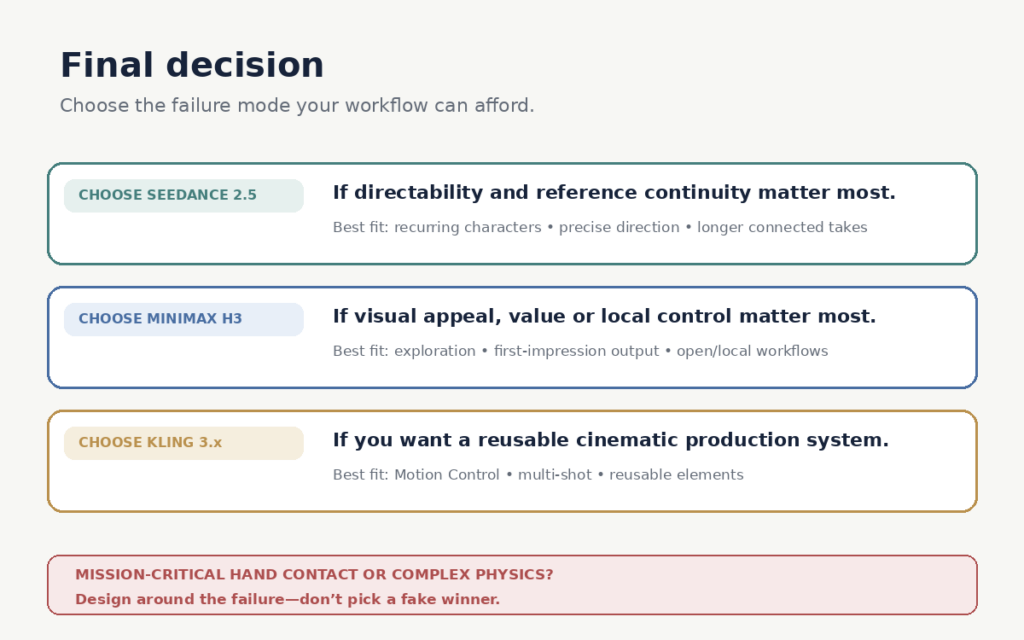
    Which one should you choose?

    Choose Seedance 2.5 if recurring characters, references and precise creative direction matter most.

    Choose MiniMax H3 if you prioritize visual appeal, experimentation value or local/open-weight control.

    Choose Kling 3.x if you want a reusable cinematic workflow built around references, Motion Control and multi-shot production.

    And if your project depends on perfect hands, object contact or complicated physical choreography:

    choose the shot design before you choose the model.

    Because the useful question is no longer:

    Which AI video model is best?

    It is:

    Which model fails in ways my workflow can afford?

    Frequently asked questions

    Which AI video model is best overall: Seedance 2.5, MiniMax H3 or Kling 3.x?

    There is no defensible universal winner. Seedance 2.5 has the strongest case for directability and reference consistency, H3 for visual preference and value, and Kling 3.x for reusable cinematic production workflows.

    Which is best for consistent characters?

    Seedance 2.5 produced the strongest evidence for recurring-character consistency and reference fidelity in our research. Kling can also be strong when references and its production tools are used well, while H3 was more variable.

    Which is the cheapest to use?

    Headline generation price is only part of the answer. MiniMax H3 showed the strongest overall value signal, but the real cost depends on retries, resolution, hosting, references and how often a generation produces something you can actually use.

    Which model is best for realistic human movement?

    None of the three is consistently reliable once scenes involve difficult hand contact, object interaction, heavy occlusion or complex choreography. For those shots, redesigning the action can matter more than changing models.

    This comparison is based on a structured review of public evidence rather than a small internal test.
    We coded 511 qualitative criterion-level observations across 212 distinct source lineages, alongside separate quantitative benchmark measurements.
    Evidence was classified by model version and evaluation criterion, deduplicated, weighted by source quality and relevance, and checked for contradictions. Older model versions were treated as historical evidence unless the same behaviour remained visible in the current generation.
    Collection stopped after two consecutive research batches produced no material change in the key conclusions.
    The objective was not to identify the model with the best promotional demo. It was to determine which model is most defensible for different real production jobs.

    Sources and updates

    AI-video models change quickly. We verify major version, pricing and capability claims against current official documentation where possible, while performance conclusions draw from the broader evidence base described in our methodology.

    Rankings and product capabilities may change as new model versions are released. When that happens, we update the affected evidence rather than quietly treating results from an older model as if they describe the current one.

    About NakuNet

    NakuNet researches technology from the buyer’s side.

    We combine official documentation, benchmarks, independent testing, creator experience and broader public evidence to work out not simply what a product claims to do, but where it is actually useful, where it fails and who should spend money on it.